



Blog / About Huston Cadillac GMC

How to Turn On & Off the Lights on Your GMC's Mirrors

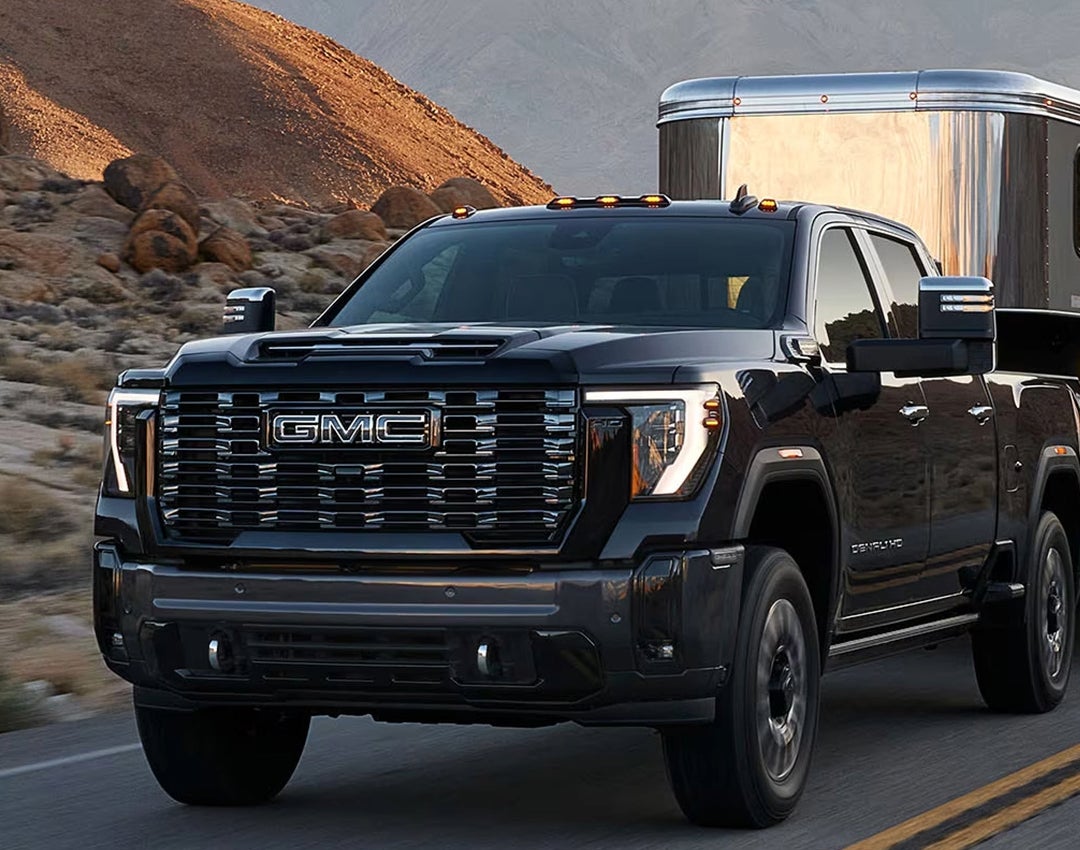
2025 GMC Sierra HD towing a trailer

When the sun sets over Waverly, Highland Park, or Alcoma, your GMC’s mirror lights become essential for visibility and safety. Whether you're backing into a tight spot, navigating a dimly lit road, or hooking up a trailer with your Sierra 1500 or Sierra HD, knowing how to control your GMC mirror illumination is key.

In this guide, we’ll walk you through everything you need to know about turning your GMC mirror lights on and off, adjusting their settings, and troubleshooting any issues. If you need hands-on assistance, Huston GMC is here to help—stop by or give us a call to ensure your GMC’s lighting works exactly how you need it!

Locating the GMC Sierra HD Mirror Light Controls

Finding the right controls for your GMC mirror illumination is simple once you know where to look. Whether you drive a Sierra 1500 or a Sierra HD, the mirror light settings are easy to access from the driver's seat.

Where to Find the Controls

Most GMC mirror light on/off switches are near the main lighting controls. Here’s where to check:

  • Dashboard Controls – Located to the left of the steering wheel, near the headlight settings.
  • Door Panel – Some models have buttons on the driver’s door.
  • Touchscreen Settings – In newer models, you can adjust mirror lighting through the infotainment system.
  • Key Fob – Some trucks allow you to turn on mirror lights remotely.

How to Identify the Right Button

Look for an icon that resembles a side mirror with light rays. If you’re unsure, check your owner’s manual for exact placement in your Sierra 1500 or Sierra HD.

Once you’ve found the GMC mirror lights control, turning them on and off is a breeze. In the next section, we’ll walk you through how to do it with just a push of a button.

How to Turn On Your GMC Sierra's Mirror Lights

Turning on your GMC mirror lights is quick and simple. Whether you're parking in a dark area, hitching up a trailer, or just need extra visibility on the road, knowing how to activate them can make a big difference. These lights not only improve safety but also add convenience when working around your vehicle at night.

Steps to Turn On the Lights

Follow these steps to activate your GMC’s mirror illumination:

  1. Locate the Control – The mirror lights control is usually found in one of the following places:
    • Dashboard Controls – Near the headlight settings, typically to the left of the steering wheel.
    • Door Panel – Some GMC models have a dedicated button on the driver’s door.
    • Infotainment Screen – On newer models, the settings can be adjusted through the touchscreen.
  2. Press or Toggle the Button – Depending on your model, either:
    • Press a physical button to turn the lights on.
    • Select the appropriate option on the infotainment screen.
  3. Check for Activation – Look at the mirrors to ensure the illumination is working. A soft glow should be visible from the mirror housing.

Other Ways to Activate Mirror Lights

If you don’t want to manually turn them on, your GMC may have additional options for activation:

  • Remote Access – Certain GMC trucks allow you to turn the mirror lights on using the key fob, providing quick illumination before you even reach the vehicle.
  • Auto Mode – Many models automatically activate the mirror lights when you unlock the doors, making it easier to find your truck in a dark parking lot.
  • Manual Override – If automatic settings don’t work, you can navigate to your truck’s lighting menu through the infotainment system and manually turn them on.

Troubleshooting Mirror Lights That Won’t Turn On

If your mirror lights don’t activate as expected, try the following steps:

  • Ensure the Truck is Running or in Accessory Mode – Many GMC models require the ignition to be on for certain exterior lights to function.
  • Check Your Settings – If your truck has auto-mode lighting, confirm that the setting is enabled in the infotainment system.
  • Inspect the Fuse – A blown fuse could prevent the lights from working. Consult your owner’s manual for the correct fuse location.
  • Restart Your Truck – Sometimes, resetting the system by turning the vehicle off and back on can resolve minor lighting issues.

By understanding how to activate your mirror illumination, you can make the most of this useful feature for safer and more convenient nighttime driving. Up next, we’ll go over how to turn them off when they’re no longer needed.

How to Turn Off Your GMC Sierra's Mirror Lights

Turning off your mirror illumination is just as simple as turning it on. Whether you want to save battery power, reduce glare, or simply prefer to drive without extra lighting, the process is quick and easy. Knowing how to manage your settings can help ensure a smooth and hassle-free experience.

Steps to Turn Off the Lights

Follow these simple steps to turn off your mirror lights:

  • Find the Control – Locate the mirror lights control on your dashboard, door panel, or touchscreen, depending on your model.
  • Press or Toggle the Button – Push the switch or select the option in your settings to turn the lights off.
  • Confirm They Are Off – Check the mirrors to make sure the illumination is no longer active.

Other Ways to Turn Off Mirror Lights

Depending on your truck’s features, there are other ways to ensure the mirror lights turn off when needed:

  • Lock the Truck – Many models automatically turn the lights off when the doors are locked.
  • Use the Infotainment Screen – Some GMC vehicles allow you to adjust the mirror lighting settings through the touchscreen.
  • Wait for Auto Shutoff – In certain models, the lights turn off on their own after a set amount of time.

If the lights remain on after following these steps, check your vehicle’s settings or restart the engine. A quick reset may resolve the issue. If the problem persists, consider checking your owner’s manual for additional guidance or visiting a dealership for expert assistance.

Customizing Your GMC Mirror Illumination Settings

Your mirror illumination can be tailored to match your needs. Whether you prefer a brighter light for better visibility or a softer glow for a more relaxed setting, adjusting these settings takes just a few simple steps. Customizing your lighting can improve safety, convenience, and comfort, making it easier to see in dark conditions or create the perfect lighting for your drive.

How to Adjust Your Mirror Light Settings

Follow these steps to modify your mirror illumination settings:

  • Access the Controls – Open the settings menu using the mirror lights control on the dashboard or touchscreen.
  • Select Brightness – Adjust the brightness level to increase or decrease the light output.
  • Choose Auto or Manual Mode – Pick auto mode for hands-free lighting or manual mode for full control over when the lights turn on and off.
  • Save Your Preference – Confirm your settings so they remain the same for future drives.

Additional Customization Options

Depending on your model, you may have access to extra settings to fine-tune your mirror lighting:

  • Sync With Headlights – Some GMC trucks allow the mirror lights to turn on and off automatically with the headlights.
  • Entry and Exit Lighting – Adjust the settings to control when the lights activate as you unlock or open the door.
  • Off-Delay Timer – Set a timer to keep the lights on for a few seconds after you exit the truck for added visibility.

Making these small adjustments can enhance your driving experience by improving visibility and convenience. If you're unsure how to customize your settings, check your owner’s manual for specific instructions or visit your local dealership for assistance.

Common GMC Mirror Light Issues & How to Fix Them

If your mirror illumination is not working as expected, a few simple fixes may help. Below are common problems and how to solve them.

1. Mirror Lights Won’t Turn On

  • Check the settings – Make sure the mirror lights control is on.
  • Inspect the fuse – A blown fuse can stop the lights from working.
  • Test the switch – If the button is not responding, it may need repair.

2. Mirror Lights Stay On

  • Adjust the auto setting – Some models keep lights on for a short time after parking.
  • Check the wiring – A loose wire may cause the system to malfunction.
  • Reset the system – Turn the truck off, wait a minute, then restart.

3. Mirror Lights Flicker

  • Look for a weak connection – Loose or damaged wires can cause flickering.
  • Inspect the bulb – If the bulb is old, it may need to be replaced.
  • Check the battery – A low battery can affect electrical features.

If these steps don’t solve the issue, a dealer can help with repairs or replacements.

How do I turn on and off the lights on my GMC's mirrors?

  • Use the mirror lights control inside the vehicle.
  • Press the button or switch to turn them on or off as needed.
  • Some models have automatic settings that activate the lights when unlocking the truck or opening a door.

Is there a dedicated control for the mirror lights on a GMC?

Yes, most GMC trucks have a specific button or switch for mirror illumination. This control is usually located on the dashboard or driver’s side door panel.

Need Help with GMC Mirror Lights? Visit Huston GMC!

Need more help with your GMC's mirror lighting? Our team at Huston GMC is here to assist you. Whether you have questions about your truck’s features or need expert service, we’re ready to help. Our knowledgeable staff can guide you through the controls, troubleshoot issues, and ensure your vehicle’s lighting works just as you need it

If you’re in Waverly, Highland Park, or Alcoma, stop by and explore our selection of Sierra 1500, Sierra HD, and other top GMC models. Browse our new GMC trucks online or visit us in person to find the right fit for you. Our team is happy to answer any questions about features, performance, and available upgrades to make your truck work best for your needs.

Looking for more ways to get the most out of your GMC? Learn how to view your truck’s cameras, remote start your heater and AC, and use remote start on your GMC truck for added convenience. Check out our site for more helpful guides and expert advice on maximizing your GMC’s performance and comfort.

Get Directions to Huston GMC


Disclaimer: All information is provided for general informational and entertainment purposes only. While we strive for accuracy, we cannot guarantee that all content is complete, current, or error-free. Any reliance you place on such information is strictly at your own risk. This article may include opinions and is not endorsed by, or officially affiliated with, any vehicle manufacturer or brand. Always consult official sources – such as the vehicle’s owner’s manual, authorized dealerships, or certified professionals – for the most up-to-date and personalized information.
Posted in:

Related Posts

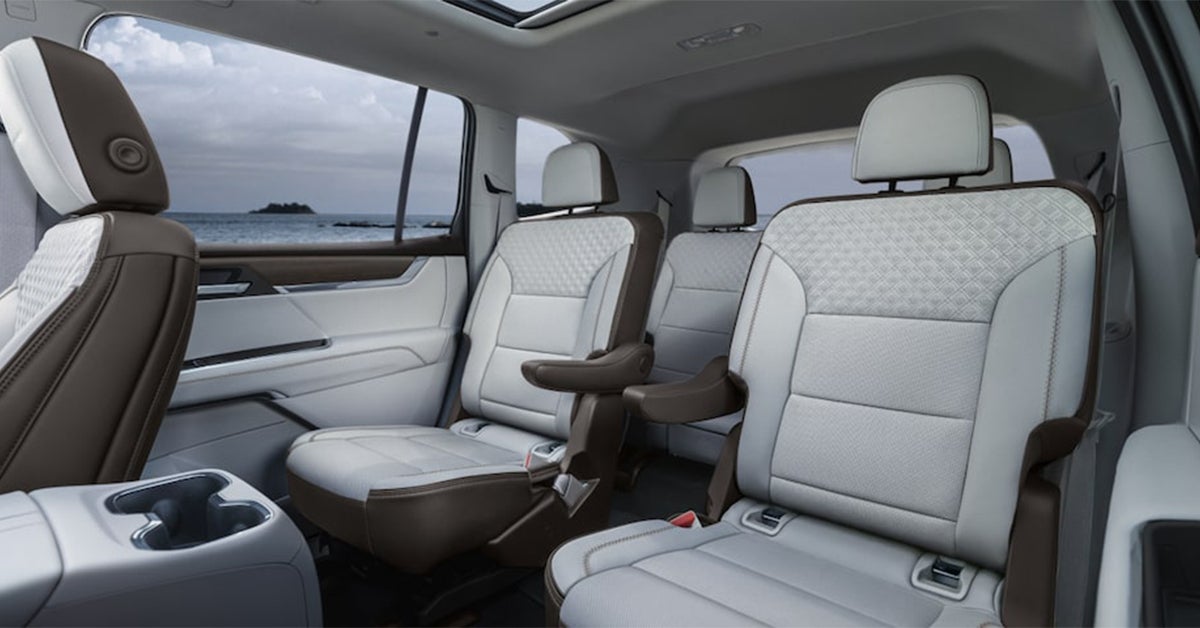
2025 GMC Acadia Rear Seating

How to Fold Down & Adjust the Seats of Your GMC

Whether you're packing up for a road trip, making room for new gear, or simply adjusting for comfort, knowing how to fold down and adjust the seats in your GMC is essential. From spacious SUVs to powerful trucks, GMC vehicles are designed with flexible seating options to make every drive more convenient. In this guide, we'll walk you through the steps to configure your seats with ease—so you can make the most of your vehicle’s interior. If you have any questions or want to explore the latest GMC models, visit or contact Huston GMC — our team is here to help! Explore New Vehicles Get Directions Contact Us How to Fold Down the Rear Seats in Your GMC Need extra space? Folding the back seats in your GMC is quick and easy. Whether you're packing for a road trip, moving large items, or simply creating more room for your gear, knowing how to adjust and fold your seating can make all the difference. GMC models like the Acadia, Terrain, and Yukon offer flexible seating configurations to help you maximize your cargo area. Follow these steps to make the most of your GMC’s interior space. Before You Fold the Seats To ensure a smooth and safe process, follow these preparation steps: Park your vehicle on a flat surface – This keeps your GMC stable while adjusting the seats. Clear any obstacles behind the seats – Check for any items that could block movement. Ensure seatbelts are out of the way – This prevents them from getting stuck in the folding mechanism. Check that no passengers or fragile items are in the rear seats – Safety first before making adjustments. How to Fold the Rear Seats Each GMC model may have slight variations in seat-folding mechanisms, but the general steps are: Find the release levers or buttons – These are typically located near the seat or in the cargo area. Unlock the seatback – Pull the lever or push the button to release the seat. Lower the seat – Gently push the seat down until it locks into the flat position. Adjust the front seats if needed – If the rear seat doesn’t fold completely, move the front seats forward slightly for clearance. How to Return the Seats to an Upright Position When you need to use the seats again, follow these steps: Lift the seatback – Grab the top of the seat and pull it back into place. Ensure it’s locked – Listen for a click to confirm it’s secure before anyone sits down. Adjust headrests and seatbelts – Position them correctly for passenger comfort and safety. A well-adjusted seating setup makes every trip easier, whether you’re accommodating passengers or hauling cargo. If you need assistance with GMC seat folding adjustments, visit Huston GMC — our team is happy to help you make the most of your vehicle’s seating features! Why Proper Seat Adjustments Matter in Your GMC Getting your seating right makes every drive better. A well-adjusted seat helps you stay comfortable, improves visibility, and ensures a safer driving experience. Whether you own a GMC Acadia, Terrain, or Yukon, knowing how to adjust and fold your seats can make a big difference in everyday convenience. Proper seat positioning can also help reduce fatigue on long drives and make loading cargo easier when you need extra space. Benefits of Adjusting and Folding Your Seats Correctly Proper seat positioning is about more than just comfort—it improves your overall driving experience in several key ways: Better Visibility – Adjusting your seat helps you see the road, mirrors, and blind spots more clearly. More Legroom – Sliding and tilting your seat can make long drives more relaxing. Safer Driving – A proper seat position keeps you in control of the wheel and pedals. Extra Cargo Space – Using GMC’s fold-down seats lets you load more gear for trips and errands. Passenger Comfort – Rear seat adjustments ensure everyone has enough space to sit back and relax. When Should You Adjust Your Seats? There are certain times when adjusting your seat can improve your comfort and safety: Long Drives – Reduces fatigue and helps maintain a good posture. Changing Drivers – Ensures the seat fits the new driver’s height and reach. Carrying Large Items – Folding down GMC seats makes it easier to transport big cargo. Adding Passengers – More legroom and reclined seats can keep everyone happy, especially on longer trips. Taking the time to adjust your seats properly can make every trip more enjoyable. Whether you’re looking to improve comfort, maximize storage, or make sure everyone in your GMC has enough space, proper seat adjustments are essential. If you want to learn more about your model’s seating options, visit or contact Huston GMC —we’re happy to help! Adjusting the Front Seats for Maximum Comfort A well-adjusted seat makes every drive safer and more enjoyable. Whether you're heading out for a short commute or a long road trip, finding the right position can help reduce fatigue, improve visibility, and enhance overall driving control. GMC vehicles, such as the Sierra, Acadia, and Yukon, offer multiple seat adjustment options to ensure every driver finds the perfect fit. Follow these simple steps to fine-tune your seating for the best driving experience. Steps to Adjust Your Front Seat Each GMC model has slightly different seat controls, but the general steps to adjust your seat include: Locate the seat controls – These are usually on the side or front of your seat and may include manual levers or power-adjustable buttons. Slide the seat forward or backward – Position yourself so you can comfortably reach the pedals without stretching or feeling cramped. Adjust the seatback angle – Recline or straighten the seatback to ensure proper back support. A slight recline (about 100-110 degrees) is ideal for comfort and posture. Raise or lower the seat height – Adjust the height so you have a clear view of the road and dashboard without obstruction. Modify lumbar support (if available) – If your GMC features lumbar adjustment, use it to provide extra lower back support, reducing strain on long drives. Fine-Tuning for Extra Comfort To further enhance your driving experience, consider these additional adjustments: Adjust the headrest – The top of the headrest should be at eye level or just above your shoulders to provide the best neck support in case of sudden stops or impacts. Ensure your knees are slightly bent – Your knees should have a slight bend when pressing the pedals to prevent stiffness and improve reaction time. Maintain a safe distance from the steering wheel – Keep at least 10 inches between your chest and the steering wheel to allow proper airbag deployment and reduce injury risk in case of an accident. Position the steering wheel correctly – If your GMC has an adjustable steering column, set it so your hands are at a comfortable level, ideally at the 9 and 3 o’clock positions for optimal control. Why Proper Seat Adjustments Matter A well-adjusted seat does more than just provide comfort—it significantly enhances driving safety and vehicle control. Benefits of proper seat positioning include: Better posture and reduced fatigue – Prevents muscle strain and discomfort on long drives. Improved visibility – Ensures a clear line of sight to the road, mirrors, and dashboard. Increased safety – Keeps you in a stable position to react quickly in emergencies. Personalized comfort – Helps accommodate drivers of different heights and body types for an optimal experience. Need Assistance? We’re Here to Help! If you need help adjusting your GMC’s front seats or want to learn more about available comfort features, visit Huston GMC. Our experts can walk you through seat adjustments and other customization options to ensure your driving experience is as comfortable as possible. How to Maintain Your GMC’s Seat Mechanisms for Longevity Taking care of your seats helps them last longer. Regular upkeep keeps adjustments smooth and prevents wear. Follow these simple steps to keep everything working as it should. Routine Maintenance Tips: Clean tracks: Remove dirt and debris from seat rails with a soft brush or vacuum (monthly). Lubricate parts: Apply a light coat of silicone spray to moving parts (every six months). Check for loose bolts: Tighten any loose screws under the seat (every oil change). Test seat adjustments: Move the seat through all positions to ensure smooth operation (monthly). How to Avoid Common Issues: Prevent stains: Wipe spills right away to protect seat fabrics and leather. Reduce wear: Avoid putting heavy items on folded-down seats for long periods. Handle with care: Use seat levers and controls gently to prevent damage. Keeping your seats in top shape improves comfort and protects your investment. If you notice issues with adjustments, visit Huston GMC for expert service. How do I fold down and adjust the seats in my GMC? The process varies by model, but most rear seats fold down using a release lever or button located near the seatback. Front seats adjust using manual levers or power controls on the side of the seat. Refer to your owner’s manual for model-specific instructions. Are the seat adjustments manual or power-operated in my GMC model? Some models come with manual adjustments, while higher trims feature power-operated seats. Popular models like the Acadia, Terrain, and Yukon offer power seat options, especially in premium trims. Check your vehicle’s features to determine which type your GMC has. What safety precautions should I take when folding or adjusting the seats? Ensure the area around the seat is clear before adjusting to avoid damage or obstruction. Keep fingers and hands away from moving parts to prevent injury. Do not place heavy items on folded-down seats for long periods to avoid strain on the mechanisms. Find Your Next GMC at Huston GMC Whether you're adjusting your seats for extra cargo space or fine-tuning your driving position, knowing the right steps makes a difference. If you need help or want to explore the latest models, Huston GMC is here for you. Drivers in Waverly, Highland Park, and Alcoma can find a great selection of SUVs, including the Acadia, Terrain, and Yukon. Each offers flexible seating, modern tech, and premium comfort. Browse our new GMC SUVs today. Looking for more ways to get the most from your vehicle? Discover our GMC Showroom at Huston GMC to explore top features. Thinking about your next purchase? Check out 5 Reasons to Consider Buying a GMC CPO to learn about certified pre-owned benefits. If you drive in Florida, our guide on Driving in Gator Country can help you navigate wildlife encounters safely. For expert advice on seat adjustments or to test drive your next GMC, visit Huston GMC today! Get Directions to Huston GMC Disclaimer: All information is provided for general informational and entertainment purposes only. While we strive for accuracy, we cannot guarantee that all content is complete, current, or error-free. Any reliance you place on such information is strictly at your own risk. This article may include opinions and is not endorsed by, or officially affiliated with, any vehicle manufacturer or brand. Always consult official sources – such as the vehicle’s owner’s manual, authorized dealerships, or certified professionals – for the most up-to-date and personalized information.
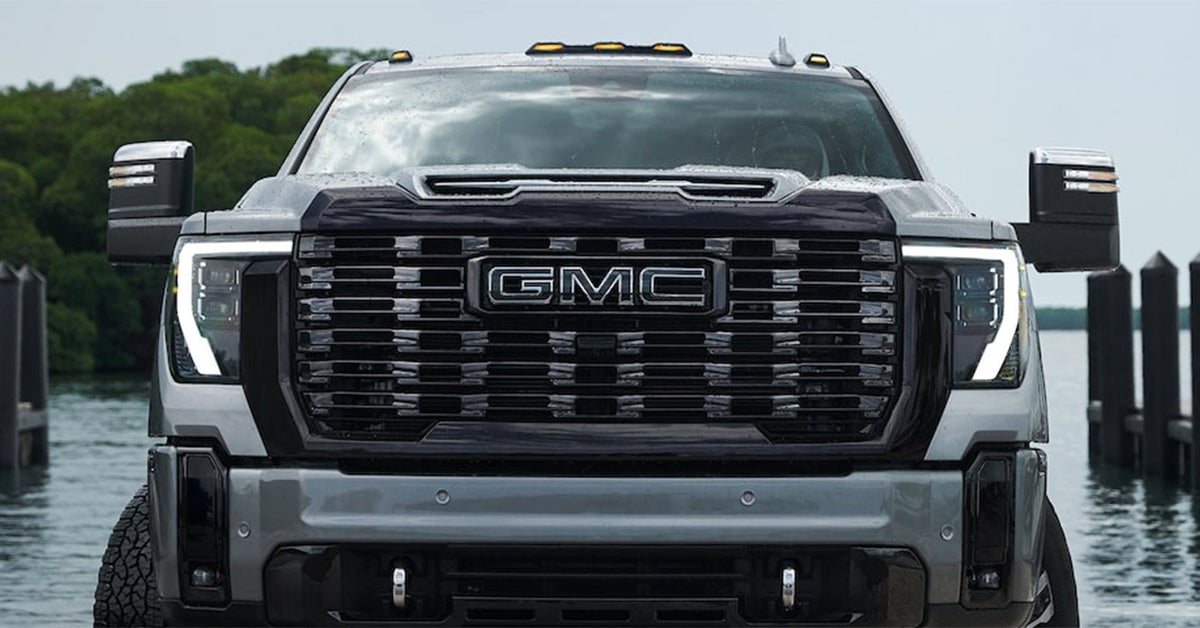
2025 GMC Sierra HD Grill and headlights up close

How Often Should You Change the Headlights on Your GMC?

Your GMC—whether it’s a rugged Sierra 1500, a powerful Sierra HD, or a versatile Acadia, Terrain, or Yukon—is built for performance, safety, and reliability. But even the toughest vehicles need maintenance, and your headlights are no exception. Over time, they can dim, flicker, or burn out, reducing visibility and putting you at risk on the road. So, how often should you change the headlights on your GMC? Understanding GMC headlight replacement frequency is key to ensuring a safe and smooth drive, whether you’re navigating the streets of Waverly, Highland Park, or Alcoma. In this guide, we’ll break down the GMC headlight change schedule, warning signs of failing headlights, and expert GMC headlight maintenance tips. If you’re due for a headlight replacement, visit Huston GMC, where our expert team can help keep your GMC in peak condition. GMC Headlight Replacement Frequency: How Often Should You Change Them? Your headlights are one of the most important safety features on your vehicle. Over time, they lose brightness and can burn out. Knowing when to replace them helps keep you safe on the road. How Long Do Headlights Last? The lifespan of your headlights depends on the type of bulbs used: Halogen - 450 to 1,000 hours HID (Xenon) - 2,000 to 3,000 hours LED - 30,000 hours or more For most drivers, this means: Halogen bulbs need replacement every 1 to 2 years. HID bulbs last 3 to 5 years. LED headlights can last over a decade but may dim over time. Signs It's Time To Change Your Headlights Even if your bulbs are not burned out, they may still need to be replaced. Look for these signs: Dim or flickering lights Yellowed or foggy bulbs One headlight is out (replace both to keep brightness even) Difficulty seeing at night Checking your lights regularly is an easy way to stay safe. A quick test before a night drive can help catch early issues. Follow Your GMC's Headlight Change Schedule Each model has a different lighting system. If you drive frequently at night or in poor weather, you may need to replace bulbs sooner. A GMC headlight maintenance check every oil change can help. For expert service, visit Huston GMC. Our technicians can check your headlights and recommend the best replacement options. 6 Signs It’s Time to Replace Your GMC’s Headlights Your headlights don’t just help you see the road. They also help others see you. Over time, they wear out, dim, or fail. Knowing when to replace them keeps you safe on every drive. 1. Your Lights Look Dim Headlights fade as they age. If your lights don’t shine as bright as before, it may be time for a change. Dim lights make it harder to see at night or in bad weather. 2. One Headlight is Out If one headlight stops working, the other may fail soon. It’s best to replace both at the same time. This keeps the brightness even on both sides of your vehicle. 3. Lights Flicker While Driving A flickering headlight may mean a loose wire, a failing bulb, or a problem with the power supply. If you notice this, have your lights checked right away. 4. Your Lenses Look Cloudy Over time, headlight covers can turn yellow or foggy. This blocks light from shining through. Cleaning may help, but if the bulbs are dim too, a full replacement may be needed. 5. You Struggle to See at Night If driving at night feels harder than before, your headlights may not be bright enough. Even if they still work, dim bulbs can reduce visibility and reaction time. 6. Your GMC Headlight Change Schedule is Overdue Most headlights last between one to five years, depending on the type. Checking your GMC headlight maintenance schedule helps prevent unexpected failures. If your vehicle is due for new lights, don’t wait until they go out. Keeping up with your GMC headlight replacement frequency ensures clear, bright lighting. Whether you drive through dark highways or busy city streets, working headlights keep you and others safe. If you notice any of these signs, visit Huston GMC for expert service. How to Extend the Life of Your GMC Headlights Your headlights don’t last forever, but with the right care, you can make them last longer. Proper maintenance saves you money and keeps you safe on the road. Follow these tips to extend their lifespan. 1. Keep Your Headlights Clean Dirt and grime can block light and make your bulbs work harder. Cleaning them often helps maintain brightness and prevents buildup. 2. Avoid Touching the Bulbs Oils from your hands can cause bulbs to overheat and burn out faster. When changing a bulb, use gloves or a cloth. 3. Check Your Electrical System A weak battery or faulty wiring can shorten the life of your lights. If you notice flickering, have your system checked. 4. Stick to Your GMC Headlight Change Schedule Every vehicle has a recommended GMC headlight maintenance plan. Following this schedule helps prevent sudden failures and keeps your lights working at their best. 5. Drive Smoothly Over Rough Roads Bumps and vibrations can damage the delicate filaments inside halogen bulbs. If you drive on rough roads often, inspect your lights more frequently. 6. Use Your Headlights Wisely Leaving your lights on when parked drains power and wears them out faster. Turn them off when you don’t need them. 7. Upgrade to LED or HID Bulbs LED and HID bulbs last longer than standard halogen bulbs. If you want more durable headlights, consider switching to these options. Regular GMC headlight replacement frequency depends on the type of bulb and how often you drive at night. Keeping up with GMC headlight maintenance ensures better visibility for every trip. If you need help, visit Huston GMC for expert service. When to Get Your Headlights Checked Professionally Some headlight issues require expert help. A service technician can check your GMC headlight change schedule and fix problems such as: Electrical issues – Wiring problems can cause flickering or failure. Alignment problems – If your lights point too high or too low, a professional can adjust them. Foggy or cracked lenses – Cleaning or replacing the lens improves visibility. Need expert service? Visit Huston GMC for reliable GMC headlight maintenance and professional replacements. How often should the headlights on my GMC be replaced? Headlights should be replaced every 450 to 1,000 hours of use for halogen bulbs. HID bulbs last 2,000 to 3,000 hours, while LED bulbs can last 15,000 to 30,000 hours. However, dimming or flickering may signal the need for replacement sooner. What signs indicate that it’s time to change my GMC's headlights? Dimming or flickering lights One headlight out, meaning the other may fail soon Cloudy or yellowed lenses, reducing brightness Reduced nighttime visibility, making it harder to see Are there differences in headlight lifespan between various GMC models? Headlight lifespan depends more on bulb type than the model itself. However, higher-end GMC models like the Yukon and Sierra HD often come with LED or HID headlights, which last longer than traditional halogen bulbs found in some Terrain or Acadia trims. Upgrade or Replace Your GMC’s Headlights with Huston GMC Keeping your headlights in top shape is key to safe driving. Whether you need a quick bulb replacement or a full lighting upgrade, Huston GMC is here to help. Our expert team can check your lights, recommend the best options, and handle any service needs. Schedule an appointment today and let us take care of your vehicle. Looking for a new or used GMC? Drivers in Waverly, Highland Park, and Alcoma can explore our wide selection of Sierra 1500, Sierra HD, Acadia, Terrain, and Yukon models. Whether you're upgrading to a reliable work truck or a spacious SUV, we have something for you. If you're interested in more GMC insights, check out our guides on what to look for in a used GMC truck or SUV and our comparison of the Sierra EV vs. Silverado EV. Thinking about a work van instead? Our GMC Savana vs. Ford Transit showdown breaks down the key differences. Visit Huston GMC today and find the right vehicle for your needs!

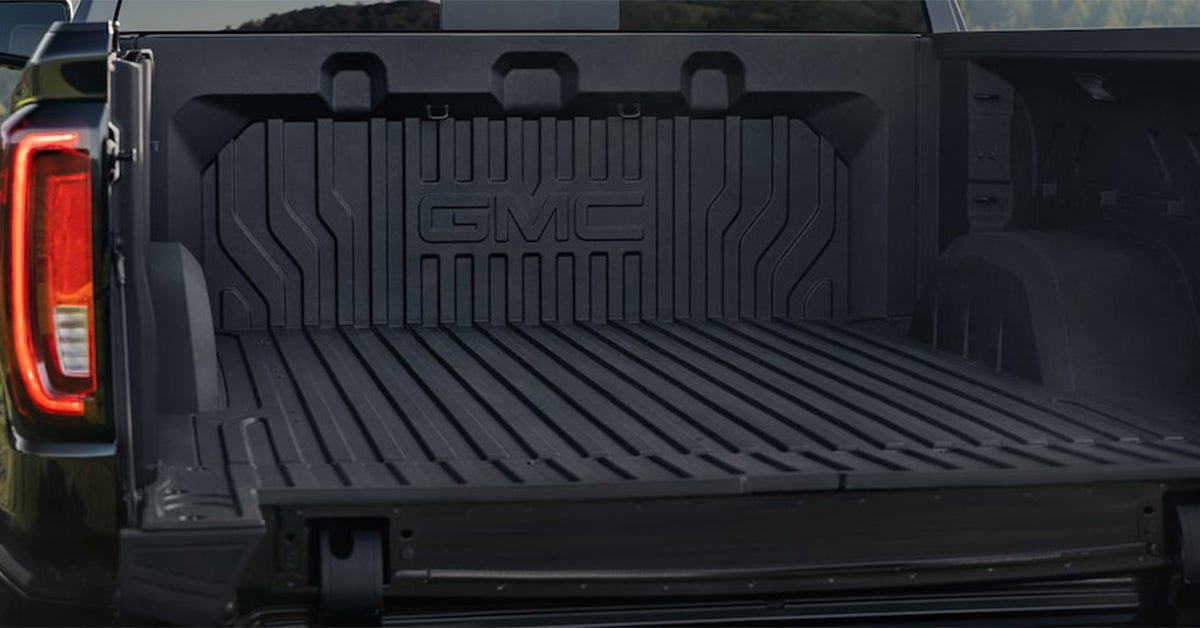
2025 GMC Sierra Truck Bed with brake lights in view

How to Turn On & Off the Lights on Your GMC's Truck Bed

Need to load up your GMC truck at night? Whether you're working late, tailgating, or just need extra visibility, your truck bed lights make all the difference. But how do you turn them on and off? Don’t worry—we’ve got you covered with this simple guide. At Huston GMC, we’re all about helping you make the most of your truck’s features. Whether you need a new GMC, expert service, or just a quick tip, our team is here to help. Read on to master your truck bed lights, and feel free to visit or contact us anytime! Explore New Vehicles Get Directions Contact Us Locating Your GMC Truck's Bed Lights Control Finding the switch for your truck bed lights is simple, but the exact location can vary by model. GMC places controls in convenient spots so you can quickly turn the lights on when needed. Here’s where to look: Common Control Locations Inside the Cabin – Some models have a button near the headlight controls on the dashboard. This lets you turn the lights on before stepping out of the truck. On the Bed Itself – Many trucks have a switch on the inside wall of the bed, close to the tailgate. This placement is useful when loading or unloading cargo at night. Infotainment System – Certain models let you control lighting through the touchscreen display. You may also be able to adjust brightness or set auto-on features. Other Ways to Activate Bed Lights Automatic Activation – Some GMC trucks turn on the bed lights when you unlock the doors or lower the tailgate. If you don’t see a switch, check whether your truck has this feature. Key Fob Controls – In select models, you may be able to activate the truck bed lights using your key fob. Owner’s Manual Reference – If you're unsure where to find the controls, check the manual for your specific model. Want to make sure your setup is working right? Stop by Huston GMC, and we’ll walk you through it! How to Turn Your GMC Truck Bed Lights On & Off Turning your truck bed lights on and off is quick and simple. Whether you're loading gear at night or just need extra visibility, knowing how to control the lights makes a big difference. Follow these steps to ensure you can turn them on or off with ease. Turning the Lights On Find the control button – Look inside the cabin near the headlight switch or on the side of the truck bed. Press or toggle the switch – If the button is inside the truck, press it once. If it’s on the bed, flip the switch. Check for automatic activation – Some models turn the lights on when you unlock the truck or lower the tailgate. Use your infotainment system – If your truck has a touchscreen, you may be able to activate the lights through the settings menu. Turning the Lights Off Use the same switch – Press or flip the control again to turn the lights off. Let the auto-timer work – Some trucks shut the lights off automatically after a set time to save power. Check for dim settings – If the lights seem dim but not fully off, adjust the brightness through the dashboard or infotainment screen. Ensure the tailgate is closed – In some models, the bed lights stay on when the tailgate is open. Understanding how your truck's lighting system works helps you get the most out of your vehicle. Not sure if your system is working right? Visit Huston GMC, and we’ll be happy to help! Comparing GMC Truck Bed Lighting to Other Brands Not all truck bed lights are the same. Some brands offer basic lighting, while others provide advanced controls and brighter LEDs. GMC’s system stands out by delivering superior brightness, smart features, and user-friendly controls. Here’s how it compares to the competition. Brightness & Coverage GMC’s lighting is bright and evenly spread, covering the full bed for maximum visibility. Some brands use smaller lights that leave dark spots, making it harder to see at night. LEDs in GMC models last longer, use less power, and provide consistent brightness over time. Ease of Use GMC: Controls are easy to reach inside the cabin or on the bed for quick access. Other brands: Some manufacturers place switches in hard-to-reach spots, making it inconvenient to turn the lights on or off. Many GMC trucks also turn the lights on automatically when the tailgate drops, offering hands-free convenience. Smart Features Some GMC models let you adjust brightness levels through the infotainment system, giving you greater control. Auto shut-off prevents unnecessary battery drain, ensuring lights don’t stay on longer than needed. Not all brands include these advanced features, making GMC a leader in truck bed lighting technology. Want to see the difference in person? Visit Huston GMC to explore the latest models and experience the benefits of GMC’s advanced truck bed lighting! Customizing Your GMC Truck Bed Lighting Your truck should work the way you need it to. With the right setup, you can make the bed lighting fit your style and needs. Whether you want better visibility, easier access, or a unique look, there are many ways to personalize your lighting system. Ways to Customize Your Truck Bed Lights Adjust Brightness – Some models let you dim or brighten the lights based on what you're doing. Add Extra Lights – LED strips or extra spotlights can boost visibility. Change the Switch Location – Move or add a switch for easier access. Use Smart Controls – Some systems let you control the lights through your truck’s touchscreen or mobile app. Choose Different Light Colors – Certain aftermarket options allow you to add color for a custom touch. Why Customize? Better Visibility – Extra lights help at night or in low-light areas, making it easier to load and unload cargo. Convenience – Easy access to controls lets you turn lights on and off quickly when you need them. Style – Personal touches make your truck stand out, whether for work or personal use. Customizing your lighting can make your truck more useful and enjoyable. If you’re ready to upgrade your setup, visit Huston GMC. Our team can help you explore options that fit your truck and lifestyle! Common Issues & Solutions with GMC Bed Lights Even the best lighting systems can have problems. If your truck bed lights are not working right, there are simple ways to fix them. Identifying the issue early can help you avoid bigger electrical problems down the road. Frequent Problems and Quick Fixes Lights won’t turn on – A dead battery or loose wiring could be the cause. Check the battery and wiring connections to ensure everything is secure. If the issue persists, there may be a fuse problem that needs professional attention. Lights flicker – This may be due to weak power or a faulty switch. Inspect the switch and replace it if necessary. Corrosion on the wiring or a bad ground connection can also cause flickering. Lights stay on too long – A malfunctioning control unit can cause this issue. Try resetting the system or checking for software updates. If the problem continues, the truck’s electrical system may need a diagnostic check. Dim lighting – Dirt and wear can reduce brightness. Clean the lights or replace old bulbs to restore full visibility. If the brightness is still low, the wiring may not be delivering full power. Lights turn on and off randomly – This could be due to a faulty relay or sensor. Inspect the truck’s settings to make sure no automatic controls are interfering with the lights. If these steps don’t solve the problem, a full inspection may be needed. Huston GMC has expert technicians who can diagnose and fix lighting issues, ensuring your truck bed lights work when you need them. Visit us today for professional assistance! How do I activate the lights on my GMC's truck bed? Press the designated button inside the truck bed or use the switch located in the cabin near the dashboard. Are the truck bed lights controlled separately from the main lighting system? Yes, they operate independently and can be turned on or off without affecting the headlights or interior lights. Can the truck bed lights be set to turn on automatically when the tailgate opens? Yes, many GMC models allow this feature, but it may need to be activated through the vehicle’s settings. Find the Right GMC for Your Needs at Huston GMC Having full control of your truck’s features makes every drive easier. If you still have questions about your lighting system, our team is here to help. Drivers in Waverly, Highland Park, and Alcoma can explore our wide selection of GMC trucks, including the Sierra 1500 and Sierra HD. Whether you need a tough work truck or a reliable daily driver, we have options for you. Browse our inventory today. Want to get even more from your GMC? Learn how to adjust your tailgate options for better loading, change the heads-up display angle for easier viewing, or customize the volume of your startup chime for a more personal touch. Our helpful guides cover everything you need to know! Visit Huston GMC or contact us today for expert advice and quality service. Get Directions to Huston GMC Disclaimer: All information is provided for general informational and entertainment purposes only. While we strive for accuracy, we cannot guarantee that all content is complete, current, or error-free. Any reliance you place on such information is strictly at your own risk. This article may include opinions and is not endorsed by, or officially affiliated with, any vehicle manufacturer or brand. Always consult official sources – such as the vehicle’s owner’s manual, authorized dealerships, or certified professionals – for the most up-to-date and personalized information.