



Blog

How to Adjust the Steering Wheel on Your GMC

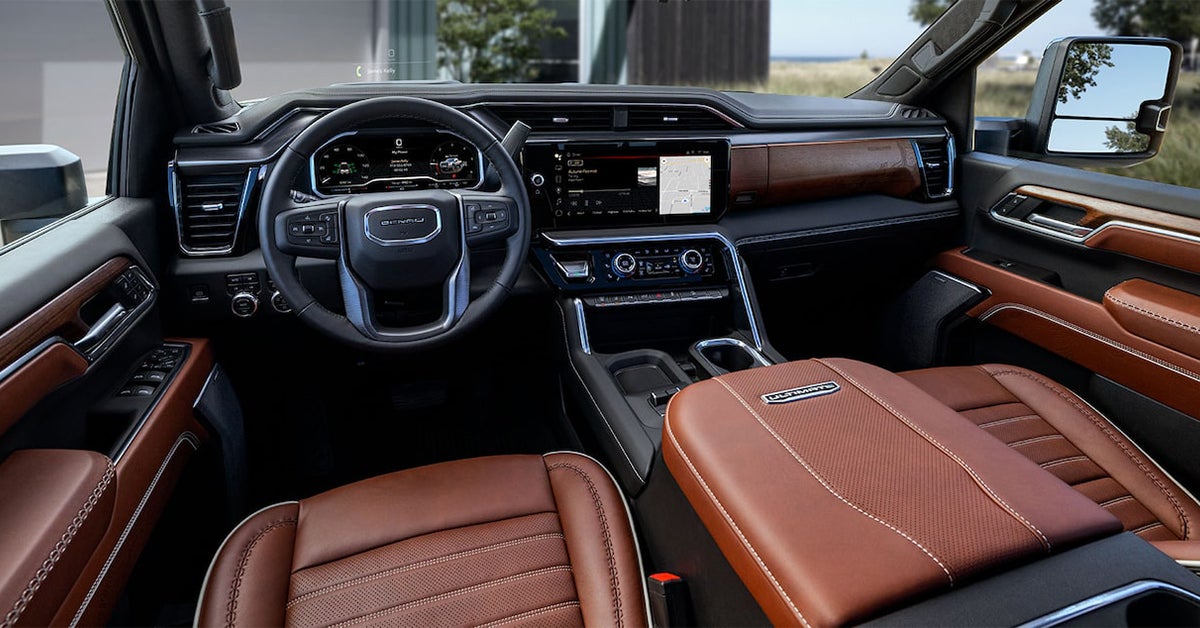
2025 GMC SIerra 2500 HD interior cabin, dashboard and steering wheel

Getting the perfect steering wheel position in your GMC Sierra 1500, Yukon XL, or Sierra HD is key to a comfortable and safe drive. Whether you need to adjust the tilt or telescopic settings, GMC makes it easy with manual and power-adjustable options. In just a few simple steps, you can customize your steering wheel for better visibility, control, and driving comfort.

Not sure how to make the right adjustments? This guide will walk you through the process, ensuring you're set up for a smooth ride through Waverly, Highland Park, and Alcoma. If you need expert assistance, visit Huston Cadillac GMC, where our team is ready to help you fine-tune your steering wheel and keep your GMC in top shape.

Step-by-Step Guide to Adjusting Your GMC Steering Wheel

Getting the right steering wheel position takes just a few steps. Whether you need to tilt or telescope the wheel, the process is simple. A properly adjusted wheel improves comfort and control, making every drive smoother and safer.

1. Unlock the Steering Wheel

Before making any changes, you need to release the locking mechanism.

  • If your GMC has a manual adjustment, find the lever under the wheel or on the side of the steering column.
  • If your model has power adjustments, use the switch or knob on the left side of the steering column.
  • Pull or press the control to unlock the wheel before adjusting.

2. Adjust the Steering Wheel

Once the wheel is unlocked, move it into the best position for your comfort and visibility.

  • Tilt the wheel – Move it up or down to match your height.
  • Extend or retract the wheel – Pull it closer or farther for a relaxed reach.
  • Test different positions - Find the one that feels best for your arms and shoulders.

3. Lock the Steering Wheel in Place

After adjusting, always secure the wheel before driving.

  • If your vehicle has a manual lever, push it back into place until it locks.
  • For power-adjustable models, release the switch and ensure the wheel stays in position.
  • Give the wheel a slight shake to confirm it is locked.

4. Test Your Driving Position

Make sure your new setup feels right before heading out.

  • Your arms should bend slightly when holding the wheel.
  • You should see all dashboard gauges without tilting your head.
  • Your grip should feel natural, with easy access to controls.

The Sierra 1500, Yukon XL, and Sierra HD offer tilt and telescopic steering adjustments to help you find the perfect fit. Taking a few minutes to adjust your steering wheel ensures a smoother, safer drive.

Finding the Perfect Steering Wheel Position in Your GMC

A well-adjusted steering wheel makes driving safer and more comfortable. It helps you see the road clearly and keeps your arms relaxed. If your wheel is too high or too far away, it can cause strain and reduce control.

Every driver has a different preference. That’s why GMC offers tilt and telescopic adjustments to help you find the right fit. Whether you drive through Waverly, Highland Park, or Alcoma, setting up your steering wheel the right way can improve your driving experience.

Why Proper Steering Wheel Position Matters

The right steering wheel placement gives you:

  • A clear view of the dashboard and road
  • Better control and response in turns
  • Reduced strain on your arms and shoulders
  • A safer distance from the airbag in case of impact

How to Know If Your Steering Wheel Needs Adjusting

You might need to tweak your settings if:

  • Your arms feel too stretched or too cramped
  • The wheel blocks your view of the gauges
  • You have trouble reaching the turn signal or wipers
  • Long drives leave you with sore arms or shoulders

Finding the Right Fit for Your GMC

GMC models like the Sierra 1500, Yukon XL, and Sierra HD come with manual or power-adjustable steering columns. Depending on your model, you can adjust:

  • Tilt – Move the wheel up or down to match your height
  • Telescopic – Bring the wheel closer or push it away for better reach

These settings help keep you in the right posture while driving. If you’re unsure where to start, a simple rule is to keep your hands at 9 and 3 o’clock on the wheel. Your elbows should have a slight bend, and your wrists should rest on top of the wheel without stretching.

Taking a few minutes to adjust your steering wheel can make a big difference. It helps you drive with ease and reduces fatigue on long trips. GMC’s adjustable steering column settings let you tailor your ride for better comfort and safety.

Locating the Steering Wheel Adjustment Controls

Before you change your steering wheel position, you need to find the adjustment controls. The location of these controls depends on your GMC model. Some vehicles use a manual lever, while others have power-adjustable options.

Where to Find the Adjustment Controls

In most GMC models, you will find the adjustment controls in one of these places:

  • Under the steering column – A small lever you pull or push to unlock the wheel
  • On the left side of the steering column – A knob or switch for power adjustments
  • On the dashboard near the steering wheel – A button for advanced steering settings

Each of these lets you fine-tune your wheel for the best comfort and control.

Manual vs. Power-Adjustable Controls

Your steering column settings will depend on whether your vehicle has manual or power steering adjustments:

  • Manual steering tilt – Pull a lever, move the wheel, then push the lever back to lock it
  • Power steering adjustments – Press a button or turn a knob to move the wheel up, down, closer, or farther away

The Sierra 1500, Yukon XL, and Sierra HD may have different options, depending on the trim level. Higher trims often include power-adjustable features for added convenience.

Checking Your Owner’s Manual for Exact Details

Every GMC is a little different. If you’re unsure where to look, your owner’s manual will have the exact location for your steering column settings. It will also explain how to adjust the steering wheel properly for your model.

Taking a moment to locate the adjustment controls makes it easier to find your ideal steering position. A properly set wheel helps you drive more comfortably and with better control.

Manual vs. Power-Adjustable Steering Wheel Controls

GMC vehicles offer two types of steering wheel adjustments: manual and power-adjustable controls. Both let you change the wheel’s position for a better driving experience. The right choice depends on your vehicle and personal preference.

Manual Steering Wheel Adjustments

Most GMC models come with a manual adjustment lever. This allows you to tilt or telescope the wheel by hand.

  • How it works:
    • Find the lever under the steering column or on the side of the wheel.
    • Pull the lever to unlock the wheel.
    • Move the wheel up, down, closer, or farther.
    • Push the lever back into place to lock it.
  • Pros:
    • Simple to use and adjust.
    • No need for power or extra controls.
    • Quick and reliable for all drivers.
  • Cons:
    • Requires both hands to adjust.
    • Can be harder to fine-tune compared to power controls.

Power-Adjustable Steering Wheel Controls

Some higher-trim GMC models offer power-adjustable steering columns. These let you adjust the wheel with the push of a button.

  • How it works:
    • Locate the adjustment switch on the left side of the steering column.
    • Press the switch to move the wheel up, down, closer, or farther.
    • Release the switch when you find the best position.
  • Pros:
    • Allows precise adjustments with ease.
    • No manual effort needed.
    • Often includes memory settings for different drivers.
  • Cons:
    • Only available on select models.
    • May take longer to adjust compared to a manual lever.

The Sierra 1500, Yukon XL, and Sierra HD may offer both options, depending on trim level. If you prefer quick, hands-on control, a manual steering wheel tilt is a great choice. For added convenience, a power-adjustable steering column lets you adjust your wheel with ease.

How Steering-Column-Mounted Electronic Precision Shift Affects Adjustments

Some GMC vehicles come with Electronic Precision Shift (EPS), a system that replaces a traditional gear shifter. Instead of a gear lever, you use a stalk or buttons to change gears. This feature helps free up space in the cabin and makes shifting smoother.

How EPS Works

EPS is mounted on the steering column, so it changes how you adjust your wheel. Depending on your model, it may use:

  • A stalk behind the wheel that moves forward or back to change gears
  • Push or pull buttons on the center console for easy shifting
  • A joystick-style electronic shifter for added control

How EPS Affects Steering Wheel Adjustments

Because EPS is built into the steering column, it may limit how far you can move the wheel. Before making any adjustments:

  • Ensure the shifter is in Park to avoid accidental gear changes
  • Move the steering wheel tilt and telescopic settings carefully to avoid blocking the EPS controls
  • Test your hand position to make sure you can shift gears without stretching or straining

Best Practices for Comfort and Control

To keep a smooth driving experience with EPS:

  • Adjust the wheel so that the stalk or buttons are easy to reach
  • Make sure you can shift gears without moving your hands too far
  • Avoid placing the wheel too low, which can make it hard to see or reach the controls

Many models, including the Sierra 1500, Yukon XL, and Sierra HD, offer Electronic Precision Shift with different control layouts. Taking time to adjust your steering column settings ensures you can shift gears easily while staying comfortable on the road.

Best Practices for Steering Wheel Adjustments in Different Driving Scenarios

The right steering wheel position helps you stay in control, no matter where you drive. Adjusting your wheel based on the situation can improve comfort and safety. Whether you’re cruising on the highway or tackling rough terrain, small changes can make a big difference.

City Driving

Stop-and-go traffic requires quick reactions and easy access to controls. A proper setup makes turning and braking smoother.

  • Keep the wheel tilted slightly upward for a clear view of the road.
  • Adjust the wheel closer to your body for better control in tight spaces.
  • Make sure your hands rest naturally at 9 and 3 o’clock to reduce strain.

Highway Driving

Long-distance travel means staying comfortable while keeping full control of your vehicle. A well-adjusted wheel reduces fatigue on extended trips.

  • Set the steering column so your arms are slightly bent but not too stretched.
  • Keep the wheel at a height that allows a full view of gauges and mirrors.
  • Avoid placing the wheel too low, which can make it harder to react quickly.

Off-Road and Towing

For rough terrain or hauling heavy loads, your wheel position should help you handle bumps and turns with ease.

  • Use a higher tilt for better clearance over uneven ground.
  • Keep the wheel slightly farther from your chest to allow free movement.
  • Make sure you can grip the wheel firmly while managing rough roads.

Parking and Tight Spaces

Precise steering is key when fitting into small spots or making tight turns.

  • Adjust the wheel closer to your body for better leverage.
  • Keep the tilt level to avoid straining your wrists.
  • Ensure you can turn the wheel without lifting your hands off the grips.

Models like the Sierra 1500, Yukon XL, and Sierra HD come with adjustable steering column settings to fit every driving need. Taking a few seconds to adjust your GMC steering wheel can make all the difference in how smooth and safe your drive feels.

Common Mistakes to Avoid When Adjusting Your GMC Steering Wheel

Setting your steering wheel correctly improves comfort and control. However, small mistakes can lead to discomfort or even safety risks. Avoid these common errors to ensure the best driving experience.

1. Adjusting While Driving

Never change your wheel position while your vehicle is in motion.

  • Adjustments can cause sudden loss of control if the wheel moves unexpectedly.
  • It’s best to make changes when the vehicle is parked.
  • Always test the wheel position before starting your drive.

2. Blocking the Dashboard or Controls

Your wheel should never block important displays or buttons.

  • Keep the steering column settings at a height that allows a clear view of gauges.
  • Make sure turn signals and other key controls are easy to reach.
  • Adjust mirrors after setting the wheel to ensure full visibility.

3. Placing the Wheel Too High or Too Low

A poorly placed wheel can cause discomfort or strain.

  • Too high – Arms will stretch too much, leading to fatigue.
  • Too low – Legs may hit the wheel, making steering harder.
  • Best practice – Your hands should rest at a natural height with a slight bend in your elbows.

4. Sitting Too Close or Too Far

Your wheel should be at a distance that allows full control without overreaching.

  • Sitting too close can make quick steering movements harder.
  • Sitting too far may reduce grip strength and reaction time.
  • Adjust the tilt and reach so your hands stay comfortable at 9 and 3 o’clock.

5. Forgetting to Lock the Steering Wheel

Always secure your wheel before driving.

  • If the wheel is not locked, it may move unexpectedly.
  • Check the steering column settings to confirm everything is set.
  • Give the wheel a quick shake to ensure it stays in place.

Many models, like the Sierra 1500, Yukon XL, and Sierra HD, offer steering wheel tilt and telescopic adjustments. Taking time to adjust your GMC steering wheel the right way will help you drive safely and comfortably.

How do I tilt or telescope the steering wheel in a GMC?

To adjust the steering wheel, locate the adjustment lever under the steering column or on the side of the wheel. Pull or push the lever to unlock the wheel, then move it up or down to tilt or closer or farther to telescope. Once you find the right position, release the lever to lock it in place.

Are steering wheel adjustments powered or manual?

Some GMC models have manual adjustments, while higher trims offer power-adjustable steering wheels. Manual adjustments require pulling a lever to tilt or telescope the wheel, while power adjustments use buttons to move the wheel electronically.

Is there a locking mechanism for the steering wheel once adjusted?

Yes, all GMC steering wheels have a locking mechanism. For manual adjustments, the wheel locks when you release the adjustment lever. For power-adjustable wheels, the position stays in place once set, with some models offering memory settings.

These adjustments help ensure a comfortable and safe driving experience. If you need further assistance, visit Huston Cadillac GMC for expert guidance.

Find Your Perfect GMC at Huston Cadillac GMC Today

Adjusting your steering wheel is a simple step that makes driving more comfortable and safe. Whether you need a better view of the road or a more relaxed grip, taking the time to set your wheel properly can improve every trip.

If you’re in Waverly, Highland Park, or Alcoma, visit Huston Cadillac GMC to explore our selection of trucks and SUVs. From the Sierra 1500 to the Yukon XL and Sierra HD, we have a vehicle to match your needs. Our team is here to help you with everything from steering adjustments to test drives.

Looking for more automotive insights? Learn how GM’s EV pickups compare or explore the latest van showdown between GMC and Ford. If you're interested in test-driving the latest models, check out our Hummer EV demo event happening soon.

Need expert service? Schedule an appointment with our certified technicians or visit us today.

Get Directions to Huston GMC


Disclaimer: All information is provided for general informational and entertainment purposes only. While we strive for accuracy, we cannot guarantee that all content is complete, current, or error-free. Any reliance you place on such information is strictly at your own risk. This article may include opinions and is not endorsed by, or officially affiliated with, any vehicle manufacturer or brand. Always consult official sources – such as the vehicle’s owner’s manual, authorized dealerships, or certified professionals – for the most up-to-date and personalized information.
Recommended Posts

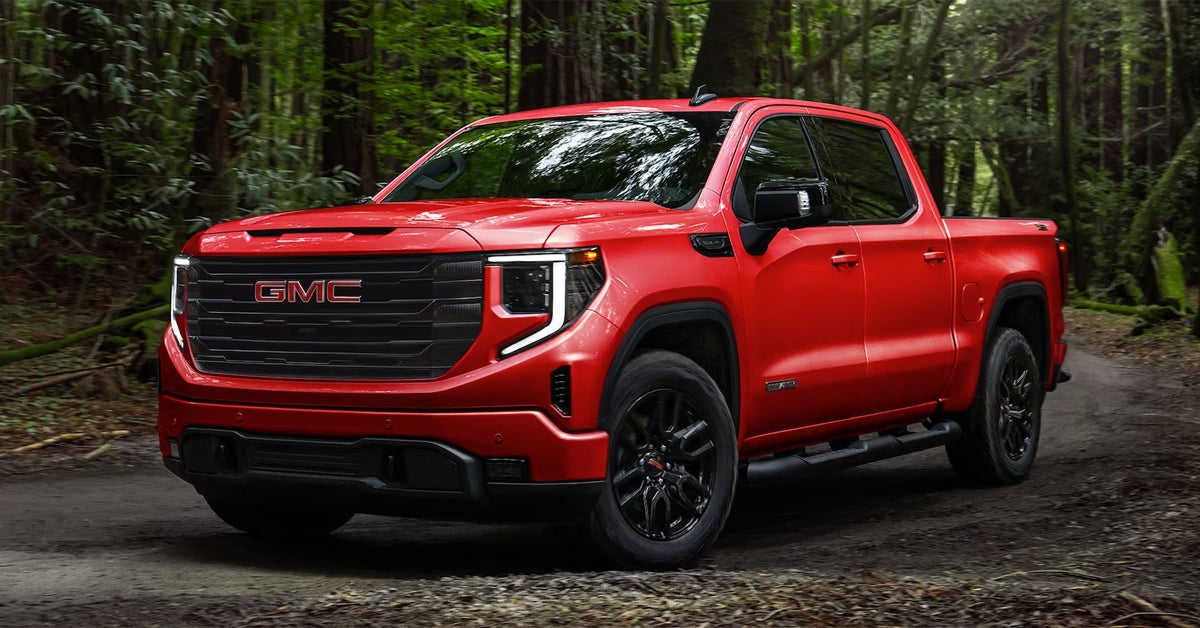
2024 GMC Sierra 1500 in red with black rims parked in the forest

What's Included in the GMC Sierra Safety Plus Package? [2026]

The 2026 GMC Sierra Safety Plus Package takes the truck’s already impressive safety features to the next level. It brings together advanced driver-assistance systems, enhanced visibility tools, and smart collision-avoidance technology designed to keep you and your passengers protected in every situation. If you’ve been wondering exactly what’s included in this package and why it matters, this breakdown covers everything you need to know so you can make an informed decision before your next drive. At Huston GMC, we’re proud to serve drivers across St. Cloud, Orlando, Kissimmee, Auburndale, and beyond with a full range of automotive services. Whether you’re shopping for a new GMC, need expert service and repairs, or are searching for quality parts, our team is here to help every step of the way. We take pride in offering a customer-first experience, making sure you drive away with confidence and peace of mind. If you’re ready to upgrade your drive or have questions about your current vehicle, visit or contact us today —we’re here to serve you. Explore New Vehicles Get Directions Contact Us What Is the GMC Sierra Safety Plus Package 2026? The GMC Sierra Safety Plus Package 2026 is designed to give drivers more peace of mind on the road. It combines key driver-assist systems with advanced safety tools that work together to help prevent accidents. This package is available on popular models like the Sierra 1500, Sierra 2500, Yukon, Acadia, and Terrain. At its core, the Safety Plus features Sierra drivers rely on most. It builds on the standard GMC advanced driver assist package, adding even more tools that keep you alert, aware, and protected. These features are easy to use, and they give drivers extra support in busy traffic or on long trips. Here are some of the main highlights included in the package: Lane Change Alert with Side Blind Zone Alert – Helps you check for cars in hard-to-see areas. Rear Cross Traffic Alert – Warns you of cars approaching from the side when backing up. Front and Rear Park Assist – Gives you alerts to help you park with less stress. Safety Alert Seat – Sends a gentle vibration to warn of possible risks. The GMC Sierra Safety Plus Package 2026 helps drivers focus on the road while reducing common risks. It’s not just about adding more features—it’s about creating a smarter, safer drive for you and your family. Which Safety Plus Features Come Standard on the 2026 Sierra? The GMC Sierra Safety Plus Package 2026 adds a strong set of standard tools to help drivers feel more secure. These features build on the GMC advanced driver assist package, giving the Sierra 1500 and Sierra 2500 an edge in safety. The same upgrades can also be found in other GMC favorites like the Yukon, Acadia, and Terrain. The Safety Plus features Sierra drivers count on most are included from the start. These systems are built to work in the background while you focus on the road. Each one is easy to use and helps reduce risk in day-to-day driving. Key standard features include: Lane Change Alert with Side Blind Zone Alert – Lets you know when another car is in your blind spot. Rear Cross Traffic Alert – Warns of cars moving behind you as you back out of a space. Front and Rear Park Assist – Sends alerts when you get too close to an object while parking. Safety Alert Seat – Uses seat pulses to warn of possible danger in your path. Each of these tools comes built into the GMC Sierra Safety Plus Package 2026. That means you can enjoy greater peace of mind the moment you drive away. How Does the GMC Advanced Driver Assist Package Enhance Confidence? The GMC advanced driver assist package is built to give drivers more trust in their truck or SUV. It uses smart tools to help spot risks, reduce stress, and guide you with clear alerts. When paired with the GMC Sierra Safety Plus Package 2026, the system creates a strong shield of support on every drive. Safety Plus features Sierra drivers depend on to stay aware of their surroundings. The same level of confidence extends to the Sierra 1500, Sierra 2500, Yukon, Acadia, and Terrain. These systems are tuned to help in real-world traffic and on long road trips. Key confidence-boosting features include: Forward Collision Alert – Warns you if a crash risk is ahead. Automatic Emergency Braking – Can step in to help stop your vehicle if needed. Lane Keep Assist with Lane Departure Warning – Gently guides you back if you drift out of your lane. IntelliBeam Auto High Beams – Switches your lights for better night driving. Each feature is designed to work in the background with little input from you. The result is a smoother, calmer drive, whether you are in busy traffic or on open roads. Is the Safety Plus Package Available on Both the Sierra 1500 and Sierra 2500? Yes. The GMC Sierra Safety Plus Package 2026 is offered on both the Sierra 1500 and Sierra 2500. Drivers of each model gain access to the same advanced tools that make daily trips safer and less stressful. The package takes the GMC advanced driver assist package and adds more high-value upgrades to build even more peace of mind. The Safety Plus features Sierra drivers trust most come standard when you select this upgrade. From lane change alerts to parking support, every tool works in the background to give you extra confidence. Here is what you can expect with both Sierra models: Added blind zone alerts for safer lane changes. Cross traffic alerts when backing out of driveways or lots. Parking assist that helps you ease into tight spaces. A safety alert seat to warn you of hidden risks. This package is not limited to trucks alone. Many GMC SUVs, such as the Yukon, Acadia, and Terrain, also include the same suite of driver aids. That means no matter which GMC you choose, you can enjoy the same level of advanced protection. What Other GMC Models Offer Similar Safety Plus Features? The GMC Sierra Safety Plus Package 2026 is not limited to trucks alone. Drivers who choose GMC SUVs can also enjoy many of the same advanced tools. The goal is the same across every model: to provide more peace of mind in daily driving. The Safety Plus features Sierra owners rely on are also built into vehicles like the Yukon, Acadia, and Terrain. Each one uses the GMC advanced driver assist package as a base, then adds more features to help prevent accidents and improve awareness. Key features shared across these models include: Blind zone alerts for safer lane changes. Rear cross traffic warnings to help when backing out of a parking spot. Park assist sensors that make tight spaces easier to handle. Safety alert seat that gives a clear, gentle warning of hidden risks. These upgrades show that safety is a priority in every GMC, whether you drive a Sierra 1500, Sierra 2500, or an SUV like the Yukon, Acadia, or Terrain. With shared features across the lineup, drivers can choose the model that fits their lifestyle without giving up peace of mind. How Do These Safety Plus Features Help in Florida Driving Conditions? The GMC Sierra Safety Plus Package 2026 is built for more than open roads. It gives drivers the tools they need for real-world traffic and weather. In Florida, where heavy rain, sudden stops, and busy roads are common, these systems can make every trip feel less stressful. The Safety Plus features Sierra drivers depend on also help in city and highway driving across the state. With support from the GMC advanced driver assist package, drivers in models like the Sierra 1500, Sierra 2500, Yukon, Acadia, and Terrain can stay more aware of what’s around them. Here are some ways these features help in Florida: Blind zone alerts – Ideal for crowded highways like I-4, where cars can hide in side lanes. Rear cross traffic alerts – Useful in tight parking lots at malls, beaches, or theme parks. Park assist sensors – Make parallel parking in busy city streets less stressful. Forward collision alerts – A big help during sudden slowdowns in stop-and-go traffic. Automatic emergency braking – Can step in if roads are slick during heavy summer rain. Together, these systems help reduce common risks on Florida roads. They give drivers more peace of mind, whether navigating rush hour in Orlando or cruising the coast near St. Cloud. What driver-assist and safety technologies come with the Sierra Safety Plus Package? The package includes Lane Change Alert with Side Blind Zone Alert, Rear Cross Traffic Alert, Front and Rear Park Assist, and the Safety Alert Seat. Does Safety Plus add adaptive cruise, blind-spot intervention, or automatic emergency braking upgrades? Safety Plus adds blind-spot alerts and cross-traffic warnings but does not include adaptive cruise or automatic emergency braking. Those features are part of the GMC advanced driver assist package. Which Sierra trims offer Safety Plus as standard vs optional? On most Sierra 1500 and Sierra 2500 trims, Safety Plus is optional. Higher trims may include it as standard equipment. How does Safety Plus interact with towing and trailering features? Safety Plus features work alongside towing systems by adding alerts for blind spots, cross traffic, and parking, making trailering easier and safer. Is there a cost advantage to ordering Safety Plus as a package vs selecting features individually? Yes. Ordering the package is generally less expensive than adding each feature on its own. Buy a GMC with the Right Package at Huston GMC At Huston GMC, we are proud to serve drivers across St. Cloud, Orlando, Kissimmee, and Auburndale. Whether you are shopping for a Sierra 1500, Sierra 2500, Yukon, Acadia, or Terrain, our team is here to guide you every step of the way. We make it simple to find the right model with the right features for your lifestyle. If you want to learn more about how the Sierra 2500 stacks up, be sure to explore our recent comparisons such as how the GMC Sierra 2500 compares to its competitors, the 2025 GMC Sierra 2500 Limited vs Ram 2500 Big Horn, and the 2025 GMC Sierra 2500 AT4 vs Ram 2500 Power Wagon. Each guide is built to give you clear insights, so you can shop with confidence. Now is a great time to see what’s new in our lineup. Browse our full selection of trucks and SUVs here: Explore New GMC Inventory. Get Directions to Huston GMC Disclaimer: All information is provided for general informational and entertainment purposes only. While we strive for accuracy, we cannot guarantee that all content is complete, current, or error-free. Any reliance you place on such information is strictly at your own risk. This article may include opinions and is not endorsed by, or officially affiliated with, any vehicle manufacturer or brand. Always consult official sources – such as the vehicle’s owner’s manual, authorized dealerships, or certified professionals – for the most up-to-date and personalized information.
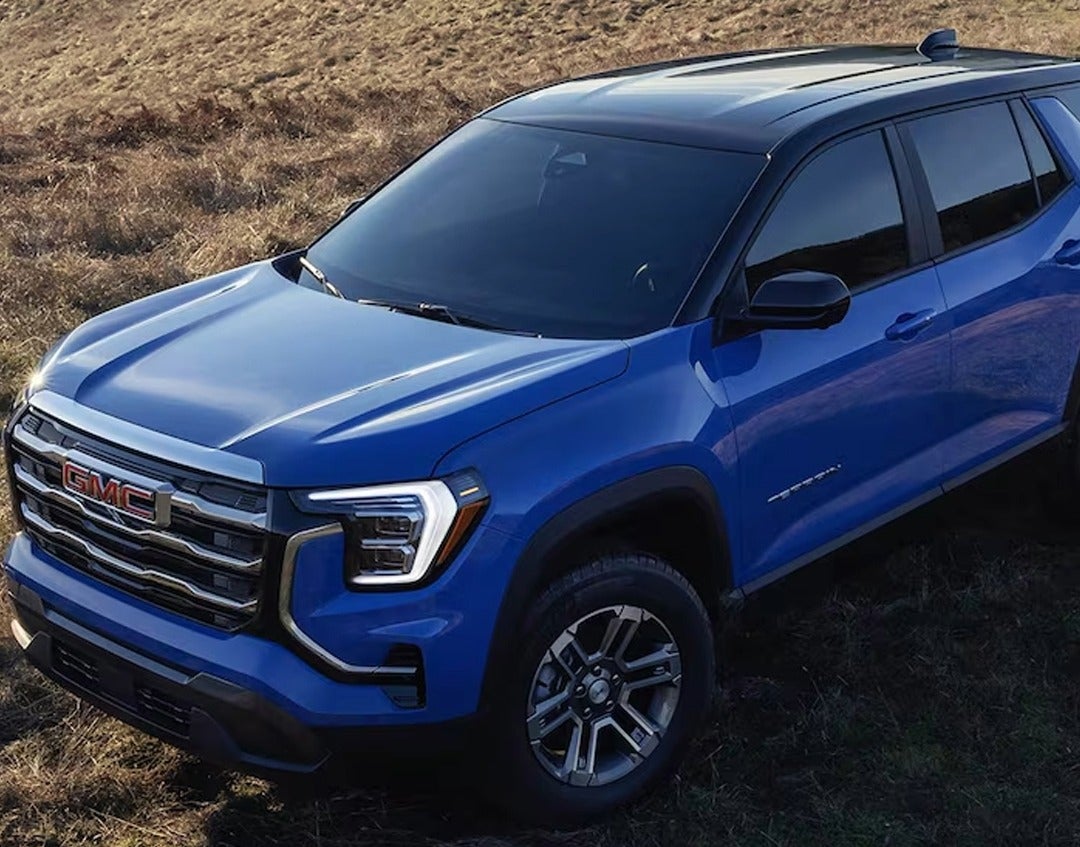
2026 GMC Acadia exterior in blue

What's Included in the GMC Cargo Convenience Package? [2026]

The GMC Cargo Convenience Package for 2026 adds secure storage and organization features designed to make daily driving more practical. With highlights like a console-mounted safe and rear under-seat storage, it provides smart solutions for keeping valuables and gear safe on the go. This guide covers everything included in the GMC Cargo Convenience Package contents, how it works with other GMC packages, and which vehicles like the Sierra 1500, Sierra 2500, Yukon, Acadia, and Terrain benefit most from these upgrades. At Huston GMC, we’re proud to serve drivers across Central Florida, from St. Cloud and Orlando to Kissimmee and Auburndale. Whether you’re searching for a new Sierra 1500, need reliable service for your Yukon, or are looking for genuine GMC parts and accessories, our team is here to make the process simple and stress-free. From sales to service and everything in between, we’re committed to helping you get the most out of your GMC. Visit or contact us today and let our experts assist with all your automotive needs. Explore New Vehicles Get Directions Contact Us What Is the GMC Cargo Convenience Package for 2026? The 2026 GMC Cargo Convenience Package is built to keep your gear safe, neat, and close at hand. Drivers who need both space and security will find this package a smart upgrade. Whether you drive a Sierra 1500, Sierra 2500, Yukon, Acadia, or Terrain, the package makes daily use more simple. At its core, the package is about two key features: Console-Mounted Safe – A lockable space built into the center console to guard your most valued items. Rear Under-Seat Storage – A hidden spot for tools, bags, or gear that you want out of view. These are the main GMC Cargo Convenience Package contents. They help reduce clutter while giving peace of mind that items are secure. For families, it keeps toys and snacks off the floor. For workers, it keeps tools and small parts in one place. The 2026 GMC cargo package also works well with GMC bed storage accessories. Together, they create more room and smarter ways to pack gear for trips, work, or daily errands. With this package, drivers get more use from every inch of space inside their GMC. What Features Are Included in the GMC Cargo Convenience Package? The 2026 GMC cargo package is made to give drivers more ways to store and protect their gear. The design is simple, yet it adds real value to daily use. Each part of the package helps you keep your space neat and secure. Here are the main GMC Cargo Convenience Package contents: Console-Mounted Safe – A lockable unit built into the center console. It keeps cash, keys, or small items safe. Rear Under-Seat Storage – A hidden bin under the back seat. It works well for tools, sports gear, or bags. These features work for more than one type of driver. In the Sierra 1500 and Sierra 2500, the package is a strong fit for job sites. In the Yukon, Acadia, or Terrain, it is just as useful for families who need to keep snacks, toys, or travel items in order. The package also pairs well with GMC bed storage accessories. This adds even more ways to keep gear in place, from work tools to camping gear. With these features, the cargo space in your GMC is both safe and smart. How Does the Cargo Convenience Package Improve Everyday Driving? The 2026 GMC cargo package is not just about more space. It is about making each trip less of a hassle. By adding smart storage, drivers can keep the cab clear and their gear safe. Think of how these GMC Cargo Convenience Package contents fit real life: For work – A Sierra 1500 or Sierra 2500 driver can store tools out of sight and keep them secure on the job. For family – A Yukon or Acadia owner can use the rear under-seat storage to hide toys, snacks, or trip gear. For daily use – A Terrain driver can keep small bags, keys, or sports items in place while driving around town. The package also blends well with GMC bed storage accessories. That means more ways to carry tools, sports gear, or travel bags without clutter. It turns open space into planned space. Less mess and more order make for a calm ride. With this package, your GMC works harder for you each day. Does the Cargo Convenience Package Work With Other GMC Packages? The 2026 GMC cargo package does not stand alone. It can be paired with other upgrades to build a truck or SUV that fits your life. By adding more features, drivers can shape a Sierra 1500, Sierra 2500, Yukon, Acadia, or Terrain to match work, family, or travel needs. Here are some common pairings with the GMC Cargo Convenience Package contents: Trailering Package – Adds hitch gear, wiring, and tools for safe towing. Works well for drivers who haul on a steady basis. Max Trailering Package – Boosts tow power with stronger springs, shocks, and brakes. A smart match for Sierra trucks used on the job. Safety Plus Package – Brings features like cross-traffic alerts, surround view, and park assist. Great for families in a Yukon or Acadia. Protection Package – Adds splash guards and floor liners. Pairs well with the cargo package to keep both gear and the cabin safe. The cargo package also blends with GMC bed storage accessories. This makes it easy to carry more gear in a way that stays neat. The mix of these packages means you can build a GMC that feels tuned to your world. Which GMC Vehicles Benefit Most From the Cargo Convenience Package? The 2026 GMC cargo package is made to work across a wide range of models. Each vehicle gains from the added storage and safe spaces it brings. From job sites to school runs, the GMC Cargo Convenience Package contents prove useful in many ways. Here is how it helps with different GMC models: Sierra 1500 – Great for workers who want tools safe and close at hand. Rear seat storage keeps the cab clear. Sierra 2500 – Built for big jobs and long hauls. The console safe is ideal for keys, cash, or work gear. Yukon – A strong choice for large families. Hidden bins hold toys, snacks, or travel gear out of sight. Acadia – Perfect for city or suburb life. Small items like sports gear or bags stay neat and in place. Terrain – A compact SUV that still gains from smart storage. Helps keep the cabin free of clutter on busy days. Pairing these features with GMC bed storage accessories makes each model more useful. Drivers can enjoy both inside storage and outside bed space that works together. The result is more order, less mess, and a ride that feels tuned to daily needs. No matter the size of the GMC, this package brings ease and peace of mind. What equipment is included in the GMC Cargo Convenience Package? The package includes a console-mounted safe and rear under-seat storage. Which Sierra models and bed configurations is the package compatible with? Based on current information, the package is available for the 2026 Sierra 1500. Details for Sierra 2500 and other models have not yet been confirmed. Does the Cargo Convenience Package include bed tie-downs, bed liners, or power outlets? No. The package does not include tie-downs, liners, or outlets. These features are part of other GMC bed storage accessories or packages. Can the Cargo Convenience Package be dealer-installed after purchase? Installation details have not been confirmed for the 2026 model year. In prior years, availability was typically tied to factory order. Please confirm with your GMC dealer. How does this package affect cargo capacity and usable bed space? The package does not change usable bed space. All added storage is located inside the cab, under the rear seats, and in the console. Buy a GMC with the Right Package at Huston GMC Drivers in St. Cloud, Orlando, Kissimmee, and Auburndale can shop a wide range of GMC models. Our lineup includes the Sierra 1500, Sierra 2500, Yukon, Acadia, and Terrain. Each offers smart features, strong power, and comfort for daily life. We invite you to keep exploring our site. You can see how the Max Trailering Package helps with towing. You can also read about what SLE and SLT mean on GMC models. Compare trims like the Sierra 2500 SLT vs. Ram 2500 Tradesman to find the right fit. If you want more details on what comes with the GMC Cargo Convenience Package, we have that too. Visit our online inventory today to view what’s in stock. Get Directions to Huston GMC Disclaimer: All information is provided for general informational and entertainment purposes only. While we strive for accuracy, we cannot guarantee that all content is complete, current, or error-free. Any reliance you place on such information is strictly at your own risk. This article may include opinions and is not endorsed by, or officially affiliated with, any vehicle manufacturer or brand. Always consult official sources – such as the vehicle’s owner’s manual, authorized dealerships, or certified professionals – for the most up-to-date and personalized information.

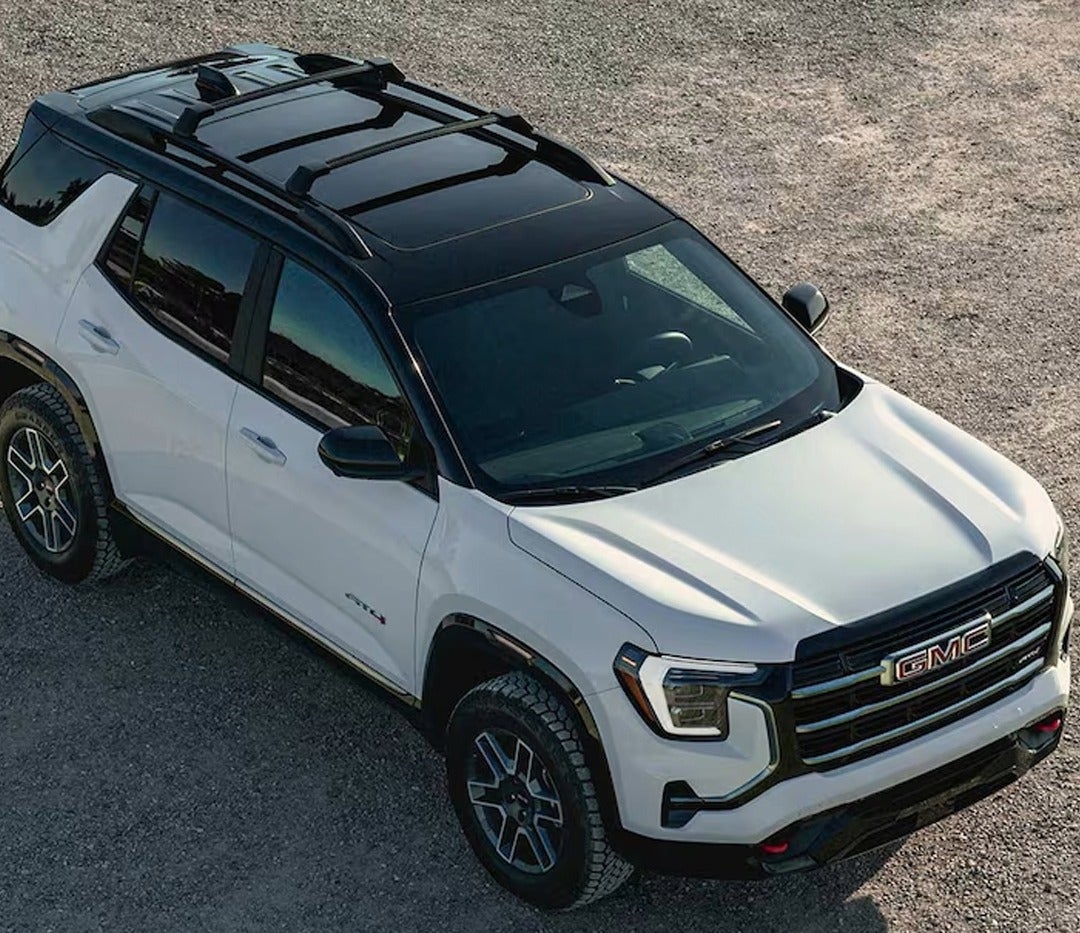
2026 GMC Acadia exterior in white and black

What's Included in the GMC Protection Package? [2026]

The GMC Protection Package for 2026 delivers more than just peace of mind—it offers a suite of coverage options designed to safeguard your investment. From extended service coverage on critical components to tire and wheel protection, GAP coverage, and even roadside assistance, GMC has created a flexible bundle that drivers can tailor to their lifestyle. Understanding what’s included helps you choose the right plan, ensuring your GMC is protected wherever the road takes you. At Huston GMC, we take pride in serving drivers across St. Cloud, Orlando, Kissimmee, and Auburndale with a full range of automotive solutions. From helping you find the right new or pre-owned GMC like the Sierra 1500, Sierra 2500, Yukon, Acadia, or Terrain, to providing expert service, genuine parts, and financing guidance, our team is here every step of the way. Your vehicle deserves the best care and protection, and we’re ready to help you explore options that keep you confident on the road. Visit or contact us today to learn more about how we can assist with all your GMC needs. Explore New Vehicles Get Directions Contact Us What Is the GMC Protection Package and Why Does It Matter for 2026 Models? The GMC Protection Package is designed to give drivers more than the standard factory warranty. It is a set of plans and add-ons that help cover the cost of repairs, tire damage, and more. For many owners, this means driving with added peace of mind. Whether you own a Sierra 1500, Sierra 2500, Yukon, Acadia, or Terrain, these plans help protect your investment. The 2026 GMC protection bundle is not one single product. It is a group of options that can be tailored to fit your needs. You may choose extra coverage for parts, tires, or even help in the case of a total loss. These options matter because they can save you money and stress down the road. Here are some common GMC Protection Package features: Extended service plan for engine, brakes, and key systems Tire and wheel protection for damage from potholes or nails GAP coverage in case of a total loss Pre-paid maintenance for routine services Extra roadside help like towing and lockout service For truck owners, there are also truck protection accessories GMC drivers may value. These include add-ons that shield wheels, interiors, and other areas that face wear from heavy use. This is useful for drivers in Florida who rely on their Sierra 1500 or Sierra 2500 for work or towing. Families in Orlando or Kissimmee may also find plans helpful for SUVs like the Yukon, Acadia, or Terrain. The right protection plan can reduce surprise repair costs. It also helps keep your GMC on the road longer, backed by the people who built it. What Benefits Come with the GMC Protection Package? The GMC Protection Package is more than coverage for parts. It also comes with added perks that make life easier when issues arise. These extras are built into the 2026 GMC protection bundle to give drivers more peace of mind. Some of the most valuable GMC Protection Package features include: Roadside Assistance: Help with flat tires, lockouts, jump-starts, or towing when you need it most. Rental Car Coverage: A loaner vehicle while your GMC is being repaired under a covered plan. Trip Interruption Benefits: Reimbursement for food and lodging if a breakdown occurs away from home. Nationwide Service: Support from certified GMC service centers across the country. These benefits add real value for both work and family use. A Sierra 1500 or Sierra 2500 driver in Auburndale may rely on roadside help when hauling gear. A Yukon, Acadia, or Terrain family in Orlando may find trip interruption coverage essential on long drives. For even more protection, some drivers add truck protection accessories GMC owners often choose, such as interior shields or wheel upgrades. These extras work hand in hand with coverage benefits to keep your GMC strong and dependable over the long term. How Do You Choose the Right GMC Protection Package in Central Florida? Selecting the right plan depends on how and where you drive. Each driver has unique needs, so the 2026 GMC protection bundle is designed with flexible options. From city streets to work sites, there’s a plan that fits your lifestyle. Here are some tips to guide your choice: Daily Commuters: Drivers in St. Cloud or Orlando may value electrical and tech coverage for vehicles like the Acadia or Terrain. Work Truck Owners: Sierra 1500 and Sierra 2500 drivers in Auburndale often benefit from powertrain and tire protection. Family Drivers: Yukon owners in Kissimmee may prefer plans with trip interruption benefits for long road trips. Maintenance Planners: Pre-paid service plans help manage the cost of routine upkeep for all GMC models. When comparing GMC Protection Package features, focus on the systems you rely on most. Truck owners may also look at truck protection accessories GMC offers, which add value and keep work vehicles in good shape. SUV drivers may prefer bundles that guard against tech and comfort issues. The best choice balances cost with peace of mind. By selecting coverage that matches your needs, you can keep your Sierra 1500, Sierra 2500, Yukon, Acadia, or Terrain protected for years to come. What items are bundled inside the GMC Protection Package? The GMC Protection Package generally includes coverage options such as extended service for mechanical and electrical components, tire and wheel protection, GAP coverage, and pre-paid maintenance. Does the Protection Package include underbody protection or paint/finish guards? No, underbody protection and paint/finish guards are not standard in the GMC Protection Package. Appearance Protection may be offered separately. Is theft-deterrent hardware (alarm, wheel locks) part of the Protection Package? No, theft-deterrent features like alarms or wheel locks are not part of the Protection Package. These may be offered as separate accessories. Are protection-package components covered under GMC’s vehicle warranty? No, the GMC Protection Package extends coverage beyond the factory warranty. It is separate from the standard warranty. Can I add or remove specific Protection Package items when ordering? Yes, in most cases the GMC Protection Package is flexible, and you can select which products or coverages you want included. Buy a GMC with the Right Package at Huston GMC Looking for more details on your next GMC? At Huston GMC, we’re here to help every step of the way. Drivers in St. Cloud, Orlando, Kissimmee, and Auburndale can explore a wide range of new GMC models like the Sierra 1500, Sierra 2500, Yukon, Acadia, and Terrain. We invite you to browse our full inventory online and see what suits your needs best. Our team is ready to answer your questions and guide you to the right choice. If you want to learn more about how GMC trucks hold up over time, we have a full guide that covers details from 2025 and past years. You can also compare trims like the Sierra 2500 SLE vs. Ram 2500 Tradesman to help decide which heavy-duty truck is the better fit. Not sure about GMC’s off-road features? Discover what the AT4 and AT4X stand for and how they enhance your drive. Take your time, explore your options, and let us know how we can help. Get Directions to Huston GMC Disclaimer: All information is provided for general informational and entertainment purposes only. While we strive for accuracy, we cannot guarantee that all content is complete, current, or error-free. Any reliance you place on such information is strictly at your own risk. This article may include opinions and is not endorsed by, or officially affiliated with, any vehicle manufacturer or brand. Always consult official sources – such as the vehicle’s owner’s manual, authorized dealerships, or certified professionals – for the most up-to-date and personalized information.