



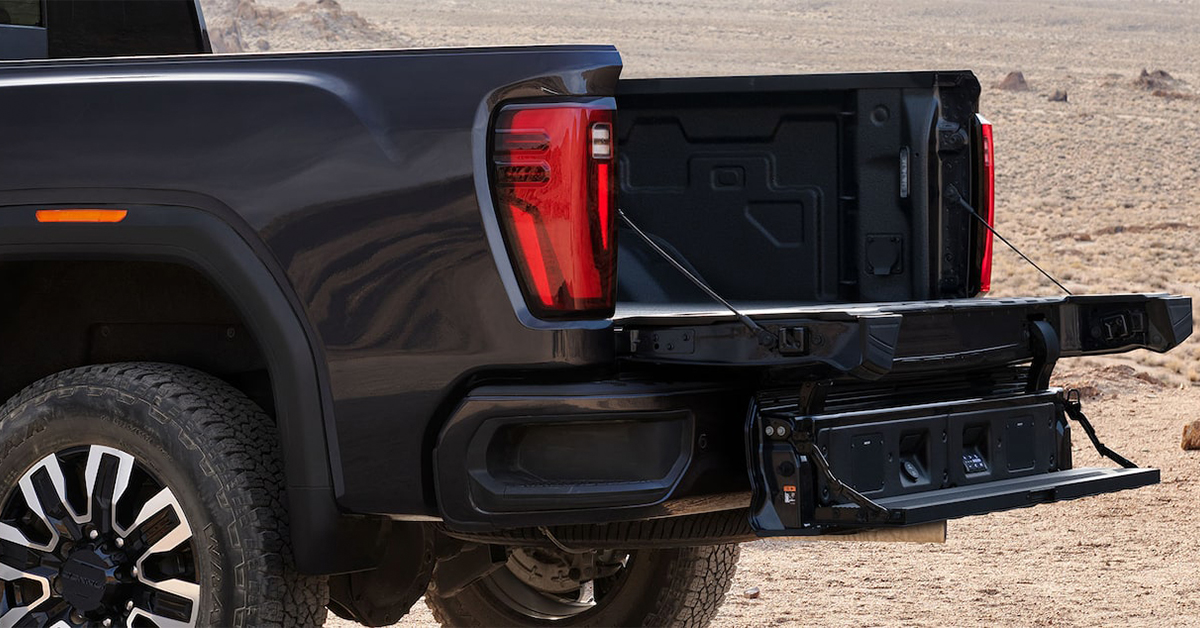
Your GMC’s brake lights are essential for keeping you safe on the road, signaling to other drivers every time you slow down or stop. But like any light bulb, they don’t last forever. If one of your brake lights has burned out, replacing it is easier than you might think! In this guide, we’ll walk you through the simple steps to replace your GMC brake lights, whether you drive a Sierra 1500, Acadia, or Yukon. Need a hand? The expert technicians at Huston Cadillac GMC are here to help. Visit us in Waverly, Highland Park, or Alcoma, or contact our service team today!
Step-by-Step Guide to Replacing Your GMC Brake Lights
Replacing your brake lights is a quick and simple job. With the right tools and a little time, you can do it yourself. Follow these steps to ensure a safe and successful GMC brake light replacement.
Tools You’ll Need
Before you start, gather these basic tools:
- Replacement brake light bulb (check your manual for the correct type)
- Phillips-head screwdriver or socket wrench
- Gloves to keep the bulb clean
- Dielectric grease to prevent corrosion
Step 1: Access the Brake Light Housing
- Park your vehicle on level ground and turn off the engine.
- Open the trunk or tailgate to reach the brake light assembly.
- Locate the screws or fasteners holding the brake light cover in place.
- Use a screwdriver to carefully remove them.
Step 2: Remove the Old Brake Light Bulb
- Gently pull the brake light assembly away from the vehicle.
- Find the burnt-out bulb and twist it counterclockwise to remove it.
- Inspect the socket for dirt or corrosion.
Step 3: Install the New Bulb
- Apply a small amount of dielectric grease to the new bulb’s base.
- Insert the bulb into the socket and twist it clockwise to lock it in place.
- Make sure it is secure before reattaching the assembly.
Step 4: Reassemble and Test
- Align the brake light housing with the mounting holes.
- Secure it with screws and ensure everything is tight.
- Press the brake pedal while a friend checks if the lights work.
- If alone, use a reflective surface to see the brake light glow.
If the new bulb doesn’t work, check the fuse or wiring. A GMC tail light fix should be simple, but electrical issues may require professional service.
Whether you drive a Sierra 1500, Acadia, or Yukon, keeping your brake lights in good condition is essential. Regular checks and timely replacements will keep you safe on the road.
Why Brake Light Maintenance Matters
Your brake lights do more than just glow when you press the pedal. They signal to other drivers when you are slowing down or stopping. Without working brake lights, accidents can happen, and you could even get a ticket. Keeping them in good shape is a simple way to stay safe on the road.
The Dangers of a Burned-Out Brake Light
A broken brake light might seem minor, but it can lead to serious problems:
- Increased accident risk – Other drivers may not see you stopping in time.
- Legal trouble – Driving with a missing or dim brake light can result in fines.
Failed inspections – A bad brake light may cause your vehicle to fail a safety check. - Electrical damage – Ignoring a bad bulb could lead to wiring issues over time.
How Often Should You Check Your Brake Lights?
Brake lights don’t last forever. They can burn out from normal use, especially if you drive often at night or in heavy traffic. A good rule is to check them at least once a month.
Here’s how to test them:
- Park safely – Choose a level spot and turn off the engine.
- Ask for help – Have someone stand behind the car as you press the brake.
- Use a reflection – If alone, back up near a window or garage door and check the lights in the reflection.
- Look for dimming or flickering – If they are not bright or steady, a GMC brake light replacement may be needed.
When to Replace Your Brake Lights
If you see signs of failure, it’s time for a GMC tail light fix. Some common warning signs include:
- One or both brake lights are not working.
- The brake warning light on your dashboard is on.
- Other drivers flash their lights at you to signal a problem.
If your brake lights need attention, fixing them is easy. Whether you drive a Sierra 1500, Acadia, or Yukon, a quick check and replacement will keep you safe and legal on the road.
Signs That Your Brake Lights Need Replacement
Brake lights are easy to overlook until they stop working. A burned-out bulb or faulty wiring can make driving unsafe. Checking your brake lights often can help prevent problems before they start.
Common Warning Signs
If you notice any of these issues, you may need a GMC brake light replacement:
- One or both brake lights are out – A single bad bulb is common, but if both are out, it could be a wiring problem.
- Brake lights are dim or flickering – This may mean the bulb is failing or there is an issue with the electrical connection.
- The brake warning light on your dashboard is on – Some vehicles alert you when a brake light is out.
- Other drivers flash their lights at you – If someone signals at you, they may have noticed your brake lights are not working.
How to Check Your Brake Lights
It only takes a few minutes to check your brake lights. Here’s how:
- Park in a safe spot – Make sure you are on level ground.
- Ask a friend for help – Have them stand behind your vehicle.
- Press the brake pedal – Check if both lights turn on.
- Use a reflective surface – If alone, back up near a window or wall and look for the glow.
When to Act
If you see signs of failure, don’t wait to replace GMC brake lights. Driving with bad lights can lead to accidents or fines. Whether you drive a Sierra 1500, Acadia, or Yukon, a GMC tail light fix is a quick and simple way to stay safe.
Finding the Right Replacement Bulb for Your GMC
Not all brake light bulbs are the same. Choosing the right one ensures your lights shine bright and last longer. Before you start, check your owner’s manual for the correct bulb type.
How to Find the Right Bulb
Every vehicle has a specific brake light bulb size. Here’s how to make sure you get the right one:
- Check your manual – The best place to find the correct bulb is in your GMC’s owner’s manual.
- Look at the old bulb – The part number is often printed on the base of the old bulb.
- Visit a trusted auto parts store – Many stores have guides to help you match the right bulb to your vehicle.
LED vs. Halogen: Which Is Best?
When replacing your brake lights, you may have a choice between LED and halogen bulbs. Each type has its benefits:
- Halogen: More affordable and easy to install but burns out faster and is less energy efficient.
- LED: Lasts longer, provides brighter light, and is more energy efficient but costs more upfront and may require a resistor.
If you drive a Sierra 1500, Acadia, or Yukon, it’s important to get a bulb that fits your model. A GMC brake light replacement is a simple fix, but using the wrong bulb can lead to dim lighting or electrical issues.
Where to Buy Replacement Bulbs
You can find brake light bulbs at:
- Auto parts stores in Waverly, Highland Park, and Alcoma
- GMC dealerships
Online retailers with vehicle compatibility checkers
Choosing the right bulb is the first step in a GMC tail light fix. Once you have the right one, you’re ready to move on to installation.
When to Seek Professional Brake Light Service
Replacing a brake light is often a simple task, but sometimes the issue goes beyond a burned-out bulb. If your brake lights still don’t work after replacing the bulb, a deeper problem may need expert attention.
Signs You Need a Professional Repair
If you notice any of these issues, it may be time to visit a service center:
- New bulbs don’t light up – If you replace GMC brake lights and they still don’t work, there could be an issue with the wiring or fuse.
- Brake lights flicker or dim – This could mean a faulty socket or a failing electrical connection.
- Multiple lights go out at once – If more than one light fails, there may be a problem with your vehicle’s electrical system.
- Burned-out bulbs happen too often – Frequent failures may mean too much voltage is passing through the circuit.
- Brake lights stay on all the time – A bad brake light switch can cause this issue.
Common Electrical Problems That Affect Brake Lights
Some brake light problems go beyond a simple GMC tail light fix. Here are a few common issues that require expert care:
- Blown fuse – A short circuit or overload in the system can cause a fuse to blow.
- Bad brake light switch – The switch may be stuck or broken, preventing lights from turning off or on properly.
- Wiring damage – Loose or corroded wires can stop power from reaching the lights.
- Faulty bulb socket – A damaged or rusted socket can prevent proper contact.
Where to Get Expert Help
If your brake lights aren’t working as they should, a GMC brake light replacement might not be enough. A professional technician can diagnose the issue and fix it quickly.
Whether you drive a Sierra 1500, Acadia, or Yukon, reliable service is available. If you’re in Waverly, Highland Park, or Alcoma, visit a trusted GMC service center to get back on the road safely.
Which tools do I need to replace the brake lights on my GMC?
You will need a Phillips-head screwdriver, gloves, dielectric grease, and the correct replacement bulb for your vehicle.
How do I access the brake light housing to change the bulb?
Open the trunk or tailgate, locate the brake light assembly, and remove the screws holding the housing in place. Carefully pull the assembly away to access the bulb.
Do I need to replace both brake lights at the same time?
It is not required, but it is recommended. If one bulb has burned out, the other may fail soon. Replacing both ensures consistent brightness and avoids another repair in the near future.
Understanding these steps can help you replace your brake lights with ease. If you run into issues, a professional service center can provide assistance.
Keep Your GMC Safe with Expert Brake Light Service
Keeping your GMC in top shape means staying on top of routine maintenance, including brake light replacements. Whether you drive a Sierra 1500, Acadia, or Yukon, working brake lights are key to safety on the road. If you need help or prefer a professional touch, our team at Huston Cadillac GMC is ready to assist. Schedule a service appointment here to get started.
If you’re in Waverly, Highland Park, or Alcoma, stop by to explore our selection of new and pre-owned GMC vehicles. Our dealership offers a range of models with advanced safety features, durable performance, and modern technology.
Looking for more GMC maintenance tips? Learn how to fold down and adjust your seats for extra cargo space, find out how often to replace your headlights for the best visibility, or get step-by-step guidance on installing mudflaps to protect your vehicle’s exterior. Visit us for more helpful guides and expert advice!
Get Directions to Huston GMC
Disclaimer: All information is provided for general informational and entertainment purposes only. While we strive for accuracy, we cannot guarantee that all content is complete, current, or error-free. Any reliance you place on such information is strictly at your own risk. This article may include opinions and is not endorsed by, or officially affiliated with, any vehicle manufacturer or brand. Always consult official sources – such as the vehicle’s owner’s manual, authorized dealerships, or certified professionals – for the most up-to-date and personalized information.
Connect with us


- October 2025
- September 2025
- August 2025
- July 2025
- June 2025
- May 2025
- April 2025
- February 2025
- January 2025
- December 2024
- November 2024
- October 2024
- September 2024
- August 2024
- July 2024
- June 2024
- May 2024
- April 2024
- March 2024
- February 2024
- January 2024
- December 2023
- November 2023
- October 2023
- August 2023
- June 2023
- May 2023
- December 2022
- November 2022
- October 2022
- August 2022
- July 2022
- April 2022
- January 2022
- December 2021
- October 2021
- July 2021
- June 2021