



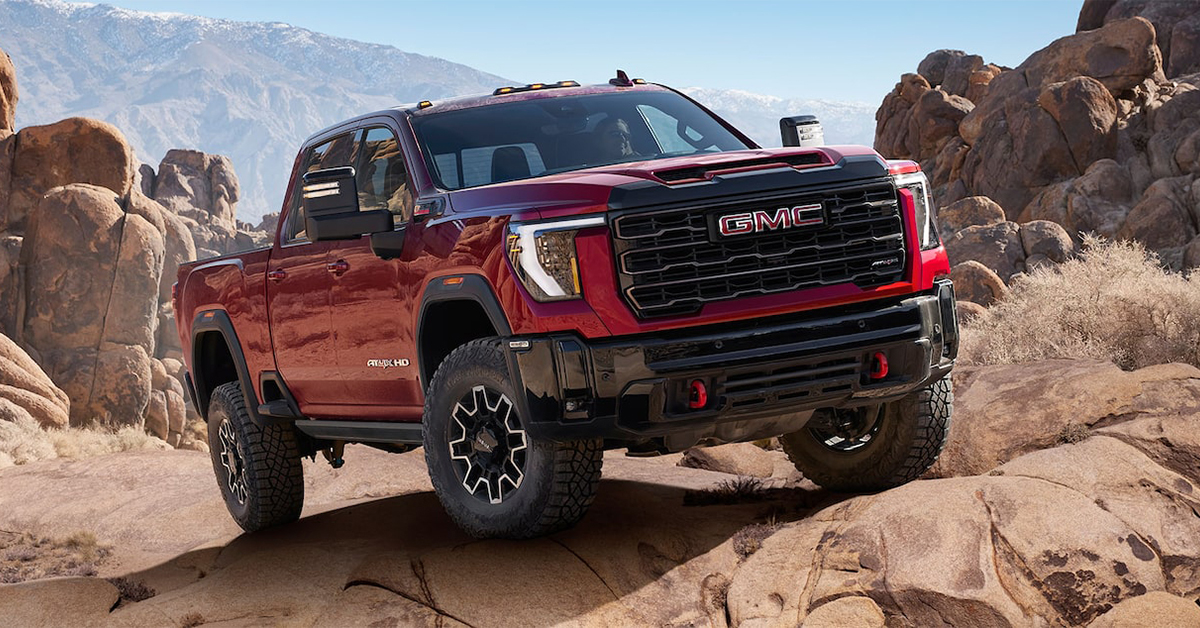
Driving through Waverly, Highland Park, or Alcoma requires clear visibility, and properly adjusted mirrors on your GMC Yukon, Acadia, and Yukon XL make all the difference. Whether you’re merging onto the highway, navigating city streets, or parking in a tight spot, GMC mirror settings help minimize blind spots and keep you aware of your surroundings.
In this guide, we’ll walk you through the best way to adjust your GMC side and rearview mirrors for maximum safety and comfort. If you need assistance or want to explore GMC’s advanced mirror features, visit or contact Huston GMC—our team is ready to help you drive with confidence.
Finding the Perfect Mirror Settings for Your GMC
Clear mirrors keep you safe on the road. When set right, they help you see cars, bikes, and other hazards. If your mirrors are off, you may miss something in your blind spot.
To adjust GMC mirrors the right way, follow a few simple steps. These steps will help you get the best GMC mirror settings for your drive.
Why Proper Mirror Adjustment Matters
- Reduces blind spots and improves visibility.
- Helps you switch lanes with more confidence.
- Gives you a clear view of cars, curbs, and parking lines.
Getting Started: Adjust Your Seat First
Before fixing your mirrors, make sure your seat is set right. Your mirrors should match your line of sight. Follow these quick steps:
- Sit back in the seat with good posture.
- Adjust the seat height so you can see over the dashboard.
- Move the seat forward or back until you can reach the pedals.
- Tilt the steering wheel to a comfy spot without blocking your view.
Once your seat is in the best spot, it’s time to adjust GMC mirrors for a clear view of the road.
The Right Time to Check Your Mirrors
Set your GMC side mirror adjustment before you drive. But also check them in these moments:
- When someone else has driven your Yukon, Acadia, or Yukon XL.
- After cleaning or adjusting them by hand.
- If you feel like you can’t see enough of the road.
A few minutes spent fixing your mirrors can make every drive safer. In the next section, we’ll go step by step through GMC side mirror adjustment to help you see more and drive with ease.
Positioning Your Seat Before Adjusting GMC Mirrors
Before setting your mirrors, make sure your seat is in the right spot. A proper seat position helps you see the road, check blind spots, and drive with ease. If your seat is too high or too far back, your GMC mirror settings may not give you a full view.
How to Find the Best Seat Position
Follow these simple steps to set your seat before you adjust GMC mirrors:
- Sit back fully – Your back should rest against the seat for full support.
- Adjust the height – Make sure you can see over the dashboard without straining.
- Move forward or back – Your feet should reach the pedals without stretching or bending too much.
- Tilt the seatback – Keep it upright enough to stay alert but not so straight that it feels stiff.
- Check the headrest – The top of the headrest should be level with the top of your head.
Once your seat feels right, you’re ready for GMC side mirror adjustment. A good seat position ensures your Yukon, Acadia, or Yukon XL mirrors show the best view of the road.
Why Seat Positioning Matters
- Keeps you in control with better posture.
- Improves comfort for long drives.
- Helps mirrors show the most important areas around your vehicle.
A well-adjusted seat makes mirror adjustments more effective. With your seat in the right place, it’s time to fine-tune your side and rearview mirrors for the best visibility.
How to Adjust the Side Mirrors on Your GMC
Side mirrors help you see cars, bikes, and people near your vehicle. When set right, they reduce blind spots and make lane changes safer. If your mirrors are off, you may miss something important on the road.
Locating the Mirror Controls
Before making any changes, find the mirror controls in your GMC Yukon, Acadia, or Yukon XL. These are usually on the driver’s door panel. Most models have a switch or knob that lets you select the left or right mirror before adjusting.
Steps for Adjusting the Side Mirrors
To get the best GMC mirror settings, follow these simple steps:
- Select the left mirror – Use the control switch to pick the left side mirror first.
- Adjust outward – Move the mirror so you can see the road, with just a small part of your vehicle visible.
- Select the right mirror – Switch to the right mirror and adjust it the same way.
- Fine-tune the angle – Both mirrors should show the lanes next to you without needing to turn your head too much.
Tips for Better Visibility
- A wider angle helps reduce blind spots.
- Avoid tilting mirrors too far down or up.
- Check your mirrors while parked to ensure a clear view.
A good GMC side mirror adjustment makes driving smoother and safer. Take a moment to check your settings before each trip.
Setting Your Rearview Mirror for Maximum Visibility
A properly adjusted rearview mirror helps you see what’s behind you without moving your head. It gives you a clear view of traffic, parked cars, and sudden stops. If the mirror is off, you may miss important details on the road.
How to Adjust Your Rearview Mirror
Follow these simple steps to set your mirror the right way:
- Sit in your normal driving position – Your seat should already be adjusted for comfort and visibility.
- Move the mirror up or down – The top edge should align with the back window.
- Center the view – You should see the entire rear window with just a small part of the rear seat.
- Avoid tilting too much – The mirror should not point too high or too low.
Making Small Adjustments for Better Visibility
- Check for glare at night – Many mirrors have an anti-glare setting for night driving.
- Recheck after someone else drives – If someone else moves the mirror, reset it before you start driving.
- Use the mirror often – A quick glance can help you stay aware of traffic behind you.
Your rearview mirror works best when combined with GMC side mirror adjustment. When all mirrors are set right, you get a full view of the road.
Fine-Tuning GMC Mirror Adjustments for Different Driving Conditions
Your mirror settings should match the road ahead. Weather, lighting, and traffic all affect how well you see. Small changes can improve safety and reduce blind spots.
Adjusting for Highway Driving
High speeds mean quick lane changes. Make sure your mirrors cover as much of the road as possible.
- Widen the side mirrors – This helps track fast-moving cars in the next lane.
- Tilt slightly outward – This reduces the need to turn your head too much.
- Check mirrors often – A quick glance every few seconds keeps you aware of nearby traffic.
Setting Mirrors for City Streets
Tighter spaces require a closer view of cars, curbs, and pedestrians.
- Angle mirrors slightly downward – This helps with parking and spotting curbs.
- Keep the rearview mirror centered – This ensures a full view of the road behind you.
- Watch for blind spots – More cars and people mean more movement to track.
Mirror Adjustments for Night Driving
Bright headlights can cause glare and make it hard to see.
- Use the night mode on the rearview mirror – This helps reduce glare from cars behind you.
- Tilt side mirrors slightly down – This keeps bright lights from shining directly into your eyes.
- Clean your mirrors – Dirt and streaks can make glare worse at night.
Your GMC mirror settings should always match the way you drive. Adjusting them for different conditions helps you stay safe and aware.
Frequently Asked Questions About GMC Mirror Adjustments
Getting the right mirror settings is essential for safe and comfortable driving. Below are answers to common questions that can help you adjust your mirrors properly.
Where is the mirror adjustment control located in most GMC models?
The mirror adjustment control is typically located on the driver’s door panel near the window controls.
Can I adjust both side mirrors simultaneously on a GMC?
No, GMC vehicles require you to adjust one mirror at a time using the selector switch.
Do GMC mirrors have a power-fold feature or memory settings?
Yes, many GMC models offer power-folding mirrors and memory settings, but availability depends on the trim level and package options.
Properly adjusting your mirrors helps improve visibility and reduces blind spots. If you need further assistance, visit your local dealership for expert guidance.
Get the Best Visibility & Features in Your GMC Today
Keeping your mirrors adjusted properly helps you drive safely and comfortably. If you have questions or need help setting your mirrors, our team at Huston GMC is here to assist you.
Drivers in Waverly, Highland Park, and Alcoma can also explore our wide selection of vehicles including Yukon, Acadia, and Yukon XL models. Whether you’re looking for advanced safety features, spacious interiors, or powerful performance, we have the right vehicle for you.
Want to get even more out of your GMC? Learn how to use remote start to control your heater and AC, activate remote start on your GMC truck, or view your vehicle’s camera system for better visibility. These features can make driving easier in any season.
For expert service or a test drive, schedule an appointment with us today. We’re ready to help you enjoy every drive in your GMC. Visit or contact us today!
Get Directions to Huston GMC
Disclaimer: All information is provided for general informational and entertainment purposes only. While we strive for accuracy, we cannot guarantee that all content is complete, current, or error-free. Any reliance you place on such information is strictly at your own risk. This article may include opinions and is not endorsed by, or officially affiliated with, any vehicle manufacturer or brand. Always consult official sources – such as the vehicle’s owner’s manual, authorized dealerships, or certified professionals – for the most up-to-date and personalized information.
Connect with us


- October 2025
- September 2025
- August 2025
- July 2025
- June 2025
- May 2025
- April 2025
- February 2025
- January 2025
- December 2024
- November 2024
- October 2024
- September 2024
- August 2024
- July 2024
- June 2024
- May 2024
- April 2024
- March 2024
- February 2024
- January 2024
- December 2023
- November 2023
- October 2023
- August 2023
- June 2023
- May 2023
- December 2022
- November 2022
- October 2022
- August 2022
- July 2022
- April 2022
- January 2022
- December 2021
- October 2021
- July 2021
- June 2021